Modded Minecraft Server HostingModpacks on NeoForge, Forge and Fabric
Install your pack with the panel's modpack installer if it is listed there, or upload its server files over SFTP. Premium runs on AMD Ryzen 9 9950X high-clock CPUs for stable TPS under heavy mod load.
Mod loaders for modpack servers
NeoForge
The standard for new heavy modpacks on Minecraft 1.21.1 and newer: ATM10, All the Mods 11, FTB StoneBlock 4 and Pixelmon all run on NeoForge. Plenty of popular 1.20.1 packs still use Forge or Fabric, so check which loader your pack lists.
Forge
Still required for packs like GTNH (1.7.10), RLCraft (1.12.2) and 1.20.1 packs such as DeceasedCraft and MC Eternal 2. Forge has the largest library of existing mods due to its decade-long history. Fully supported on all plans.
Fabric & Modrinth
Fabric hosts performance-focused mods (Sodium, Iris, Lithium) and is growing rapidly on Modrinth. Prominence II, Homestead and Cobblemon packs such as Cobblemon.gg run on Fabric. A big Fabric pack still needs real RAM: the Prominence II team suggests at least 8GB for 3 to 4 players.
One-click install from CurseForge and Modrinth
Our Pterodactyl panel includes a built-in modpack search and installer. Choose CurseForge or Modrinth as your source, search by pack name, click install. The panel downloads the correct server files, sets up the modloader, and configures your startup automatically. For custom packs or packs not in the index, use SFTP to upload your server folder.
Pick the plan you actually need
Choose a region, choose Standard or Premium, then pick RAM. The summary stays visible so price, players, storage, and hardware are easy to compare.
Choose the region
Pick the region closest to most of your players.
Choose the hardware line
Select RAM memory
Order summary
 Netherlands

Selected plan
MC Diamond
Modpacks start here
- Ryzen 9 9950XShared CPU, 600 to 800% (fair use)
- 20-30 Players (no hard cap)
- 8GB DDR5 RAM
- 80GB NVMe
- Pterodactyl panel included
- DDoS Protection Included, Cloudflare Magic Transit
Player counts are a recommendation based on RAM, not a hard limit. You can connect more players than listed.
3 server port allocations included. Up to 5 available on request.
Join without typing a port
Add a dedicated port at checkout: your server gets the default port (25565 for Java, 19132 for Bedrock), so players only type your address.
€2.50 a month on Premium, €5.00 on Standard
Instant setup in your selected region.
CPU matters
Minecraft cares about single-thread speed. In the Netherlands, Germany, Poland and Canada, Premium runs Ryzen 9 9950X. Standard runs the AMD EPYC 7443 in the Netherlands, Germany and Poland and Ryzen 9 3900X-class in Canada. California and Virginia run the 7950X3D on Standard and the 9950X on Premium, Singapore and Australia the 5950X, and India the 3900X-class. The CPU is shared on every plan.
Protection choices
DDoS protection is included on every plan in every region. Premium in Europe and Canada and every USA plan run behind Cloudflare Magic Transit; Standard, Singapore, Australia and India use standard protection. There is no paid add-on.
Panel included
Console, files, backups, schedules, startup flags, and sub-users are ready.
9 regions
Netherlands, Germany, Poland, Canada, USA (California), USA (Virginia), Singapore, India (Mumbai), and Australia. EU, NA, Asia, South Asia, and Oceania covered.
Need something bigger?
Running Velocity, a big modpack, or a server network? Tell us what you are building and we will size it properly.
RAM guide
Which Plan for Which Modpack? RAM Guide
Every modpack has different requirements. These are the starting points we recommend for a small group; add RAM as your player count and base size grow. Linked packs have a page on our site with plans and setup notes for that pack. Figures for the other packs are rough guides, and where a card says check the pack, we have no server memory figure for it, so look at the pack's server files or description.
Pixelmon
MediumFTB StoneBlock 4
HeavySkyFactory 5
MediumRLCraft
MediumDeceasedCraft (beta)
HeavyHomestead
MediumCave Horror Project
MediumCraftoria
HeavyCursed Walking
HeavyMC Eternal 2
HeavyGregTech New Horizons (GTNH)
HeavyBetter MC (BMC4 / BMC5)
MediumCreate: Above and Beyond
MediumStar Technology
FTB / SkyFactory 4
MediumEnigmatica 2: Expert
MediumDungeons, Dragons & Space Shuttles
HeavyVanilla / Paper / Fabric Optimization
LightIn the panel
Install a modpack from the panel
Pick a CurseForge modpack in the panel and it installs on your server. These screenshots come from a demo server.
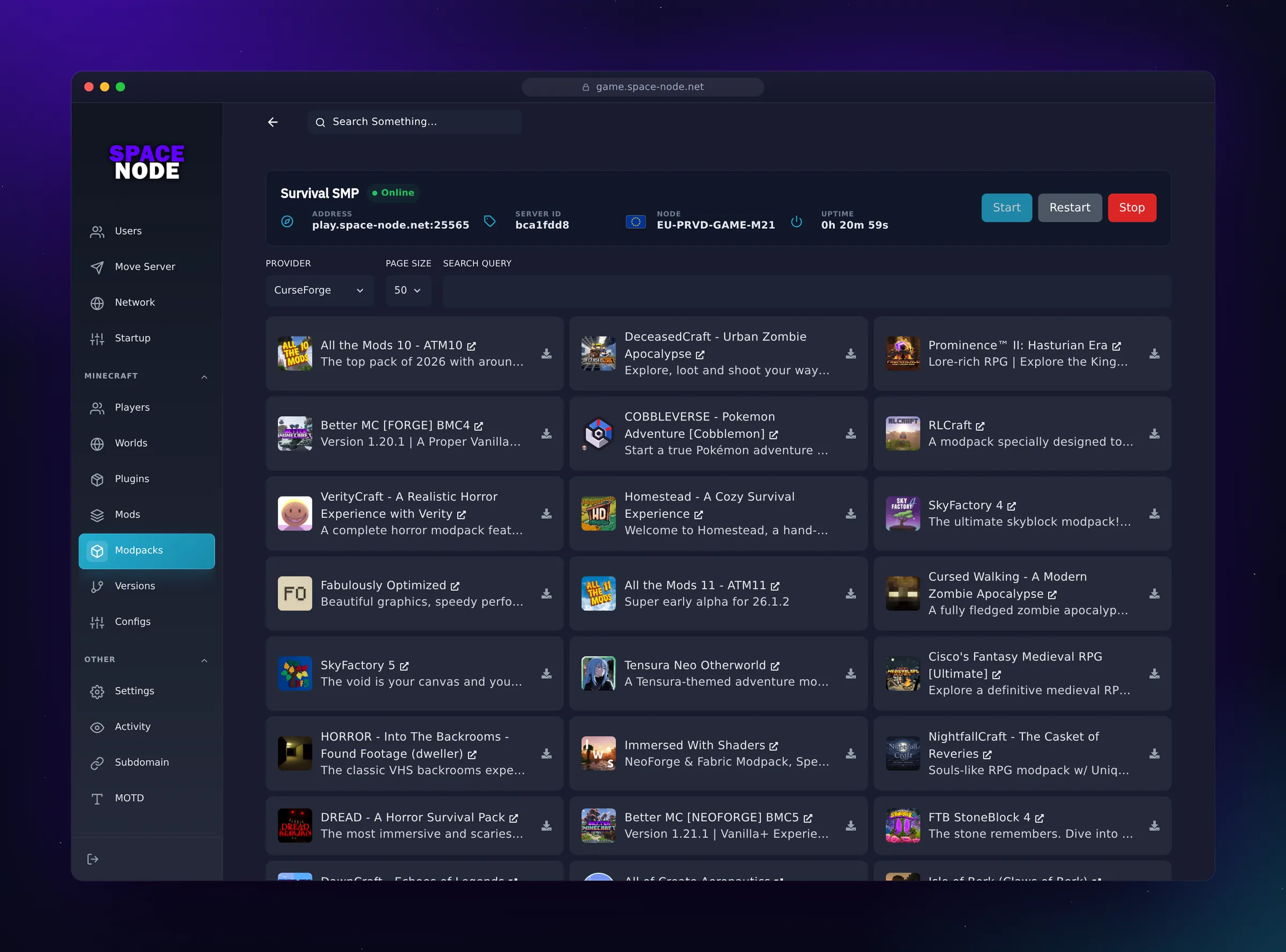
Modpacks. Install CurseForge modpacks such as All the Mods 10, Prominence II, RLCraft and Cobbleverse.
Modpack Hosting FAQ
- Forge is the original modloader that dominated Minecraft modding for over a decade. NeoForge is a fork of Forge that started in July 2023, when almost all of the Forge team moved over to it. Most big packs for Minecraft 1.21.1 and newer, such as All The Mods 10 and FTB StoneBlock 4, run on NeoForge, while many popular 1.20.1 packs still use Forge (DeceasedCraft, MC Eternal 2) or Fabric (Prominence II). Use the loader your pack lists. Older packs like GTNH (1.7.10) still use Forge. Both are available as server types in the panel.
- Yes. Our control panel supports one-click installation from both CurseForge and Modrinth. Modrinth has grown rapidly and now hosts many popular Fabric and NeoForge packs that are not on CurseForge. You can also upload any custom modpack server files via SFTP if you prefer to configure it manually.
- ATM10 server files are available directly from CurseForge. In our control panel, search for 'All The Mods 10' in the modpack installer and it will download and configure the server files automatically. For manual installation, download the server pack from the ATM10 CurseForge page and upload via SFTP. We recommend MC Special 1 (12GB) or MC Special 3 (16GB) for the best experience.
- All The Mods 10 has around 500 mods. We recommend 12GB for 1 to 5 players, 16GB for 5 to 15 players and 32GB past that. The official ATM10 server files set an 8GB Java heap, and Java needs memory on top of that, which is why we start at 12GB. See our All The Mods 10 hosting page for the full breakdown.
- Yes and we highly recommend it. Use Chunky (Fabric/Paper) or Chunk Pregenerator (Forge/NeoForge) to pre-generate a defined area before inviting players. This moves chunk generation work to before gameplay starts. How long it takes depends on the pack and the radius, so start it right after ordering and let it finish before your players join.
- For NeoForge on Java 21 (modern packs): use Aikar's G1GC flags as the baseline. Many packs ship their own flags; the ATM10 server files, for example, include a user_jvm_args.txt with G1 flags and an 8GB heap, which you should raise to fit your plan. You can set flags in the Startup tab of your Pterodactyl panel under 'JVM arguments', and our support team can help if you open a chat after ordering.
- Yes. Connect to your server via SFTP, upload your world folder to the correct server directory, update the world name in server.properties, and restart. For worlds over 1GB we recommend SFTP over the web file manager. The entire process typically takes 15-30 minutes depending on world size.
- Yes, Quilt is supported. Quilt is compatible with most Fabric mods and is an alternative modloader with some additional features. It is available in the server type selector in your control panel alongside Fabric, NeoForge, and Forge.
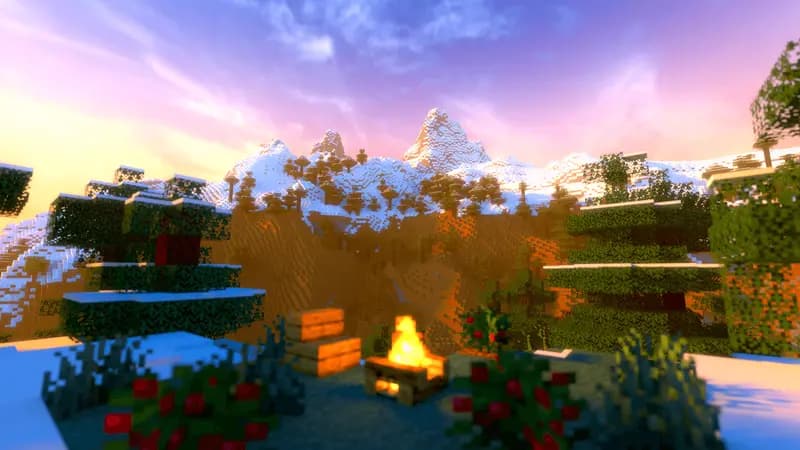
Minecraft servers from €2.70 a month
NVMe storage and DDoS protection on every plan. Install a CurseForge or Modrinth pack from the panel, or upload your own server files over SFTP.
See Minecraft plansThis page in other languages