Disclosed hardware before buying
Streamers moving from a plan where the CPU is not listed usually want to know exactly what they are getting. We list it on the plan itself.
OhBubble and Space-Node both work the same basic way: a remote server you access and run OBS on yourself, not a browser dashboard. The difference is what happens after checkout, setup help, response times, and what the server is actually running.
Short verdict
Both give you a remote machine for 24/7 OBS streaming rather than a locked-down SaaS studio, so switching is mostly a matter of moving your OBS scenes and stream keys over. Space-Node's plans list real hardware (AMD Ryzen 9, NVMe SSD) up front and include OBS setup help, which is the part streamers most often ask us about when moving off a plan where that was not included.
Both give you a remote machine for 24/7 OBS streaming rather than a locked-down SaaS studio, so switching is mostly a matter of moving your OBS scenes and stream keys over. Space-Node's plans list real hardware (AMD Ryzen 9, NVMe SSD) up front and include OBS setup help, which is the part streamers most often ask us about when moving off a plan where that was not included.
Plain comparison, no hosting jargon.
Streamers moving from a plan where the CPU is not listed usually want to know exactly what they are getting. We list it on the plan itself.
Bitrate, keyframe interval, and x264 or NVENC preset choices matter more than most first-time streamers expect. We help set these once, at signup.
If you are choosing between providers and setup speed matters to your launch date, ask support for a realistic delivery estimate before you pay, for either provider.
Both companies rent you a remote computer for streaming, so day-to-day the workflow is similar. The practical differences show up before and after checkout: whether the hardware is disclosed, whether DDoS protection is included or extra, and whether anyone helps you get OBS actually tuned instead of just handing over a login.
If your current OhBubble server already streams the way you want and you are not running into support or performance questions, there is no reason to switch just to switch. This page is for people actively comparing options, not a reason to churn a setup that already works.
Skip the extra click. These are the three plans most people use when moving from a loop-style streaming tool to a real OBS server.
€19.99/mo
720p30 OBS loop, music channel, radio, slideshow or lightweight browser-source stream.

€29.99/mo
Most chosen: 1080p30 or 720p60 with dedicated GPU, overlays and OBS setup help.

€49.99/mo
1080p60, 1440p, multistream RTMP and heavier browser-source scenes with NVENC headroom.
Trustpilot · 28 reviews
99.9%
Uptime, last 12 months
2-5 min
Server delivery time
12/7
Live chat & tickets
Hosted on high-speed European backbone network with direct low-latency peering to YouTube, Twitch, and Kick ingest servers. Turn off your PC while your stream stays online indefinitely.

Stream non-stop 1080p60 music, podcasts, or community live streams with zero local CPU load.

Direct European ingest to Twitch servers with crystal clear bitrate and zero dropped frames.

Custom Kick stream keys with instant reconnect capability and dedicated hardware encoding.

Relay your broadcast across multiple platforms simultaneously using OBS Studio multi-RTMP plugins.
Control Windows 11 and OBS Studio directly in Chrome or Safari on your phone, laptop, or Mac. No RDP clients needed.
Rock-solid unmetered upload speed directly peered at AMS-IX. Never drop frames due to home WiFi or ISP bandwidth limits.
Pre-installed with VLC video loopers and automated crash recovery so your channel never goes dark unexpectedly.
These pages are written for creators comparing cloud streamers, video loopers and OBS hosting before picking a 24/7 YouTube, Twitch or Kick setup.
OBS server vs Stream Designer, pricing, multistreaming and 24/7 YouTube workflows.
Read comparisonRemote server vs remote server: disclosed hardware, included DDoS protection and real OBS setup help.
Read comparisonFor pre-recorded loop channels that need overlays, live scenes and lower pricing.
Read comparisonScheduled playlists, 24/7 YouTube streams and OBS automation explained simply.
Read comparisonA less black-box way to run bot-like 24/7 streams with full OBS visibility.
Read comparisonCloud OBS for reactions, watch parties, browser sources, quizzes and fallback scenes.
Read comparisonCloud playout vs your own OBS streaming server with fallback scenes and NVENC.
Read comparisonYes, both are a remote server you access and run OBS on, rather than a browser-only SaaS studio like some other 24/7 streaming tools. That means moving between them is mostly about moving your OBS setup, not learning a new kind of product.
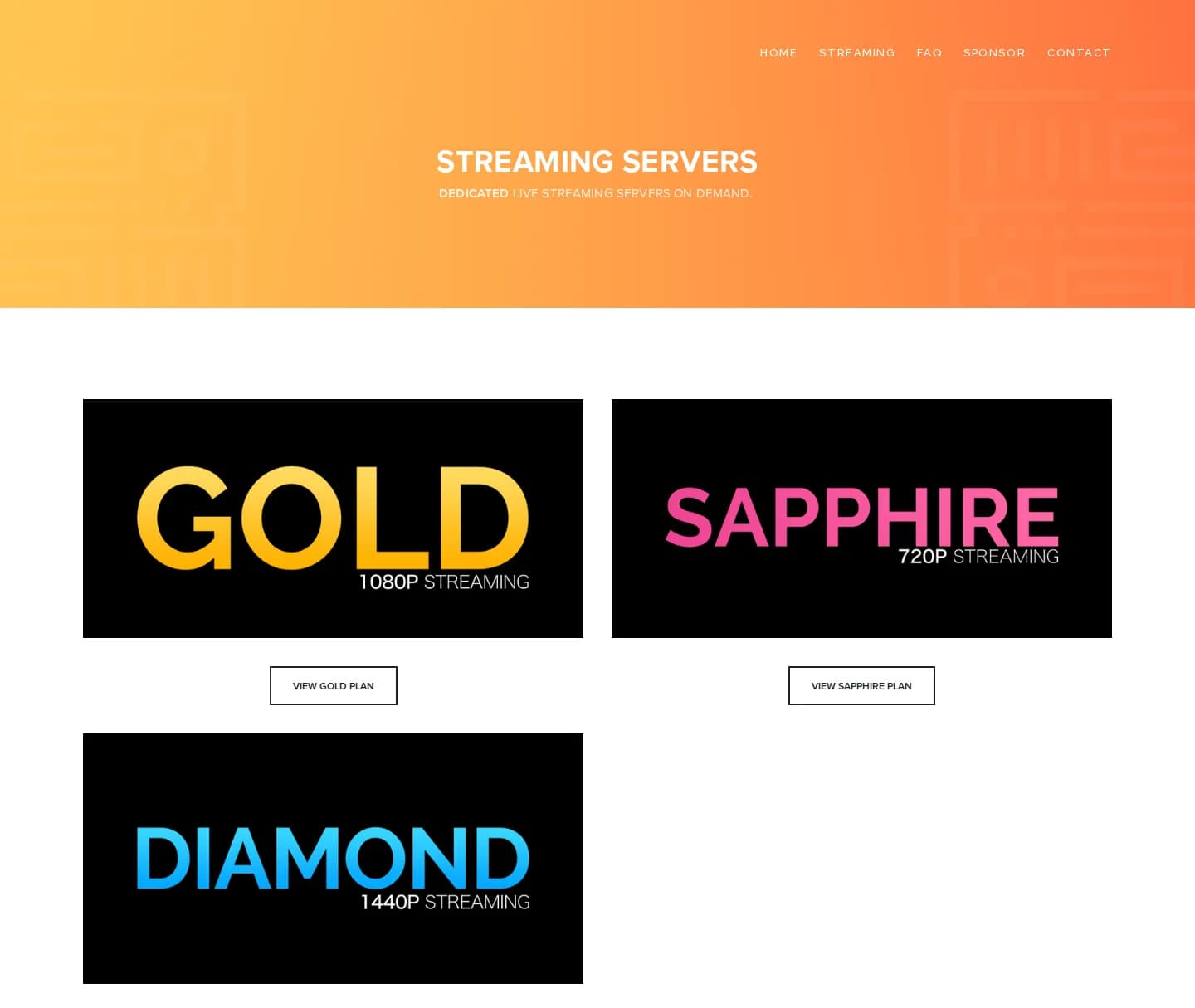
Not on the plan selection page as of our last check, each tier (Gold, Sapphire, Diamond, Platinum) is presented by resolution rather than CPU or storage type. Space-Node lists AMD Ryzen 9 and NVMe SSD on every plan up front.
Platinum is the closest match for 1080p30 with GPU-backed encoding. Gold covers 720p loops and lighter setups, Diamond is for 1080p60, 1440p or heavier overlay work.
Yes, tell support your target resolution, frame rate and destination platforms and we will help with scene setup, bitrate and encoder settings.
We do not run a permanent free trial, but there is a short money-back window on new orders, contact support before you buy if you want details for your specific case.
More control than OhBubble, still simple for non-tech users. Delivered in 2-60 minutes, with a 3-day money-back window.
View streaming plans