Playlist ownership
Keep source media on the server, not only inside a SaaS account. That makes backups, folder rotation and emergency replacement easier when a video breaks or gets claimed.

Upstream is excellent for browser-based pre-recorded video loops. Space-Node is for creators who want the always-on benefit, but also need OBS plugins, live scenes, browser sources, GPU encoding, RDP access and lower-level control over the streaming machine.
Public competitor facts checked May 2026. We compare public page claims, not private account features.
Fastest Upstream replacement
Platinum €29.99/mo
1080p30 / 720p60, dedicated GPU, full OBS access.
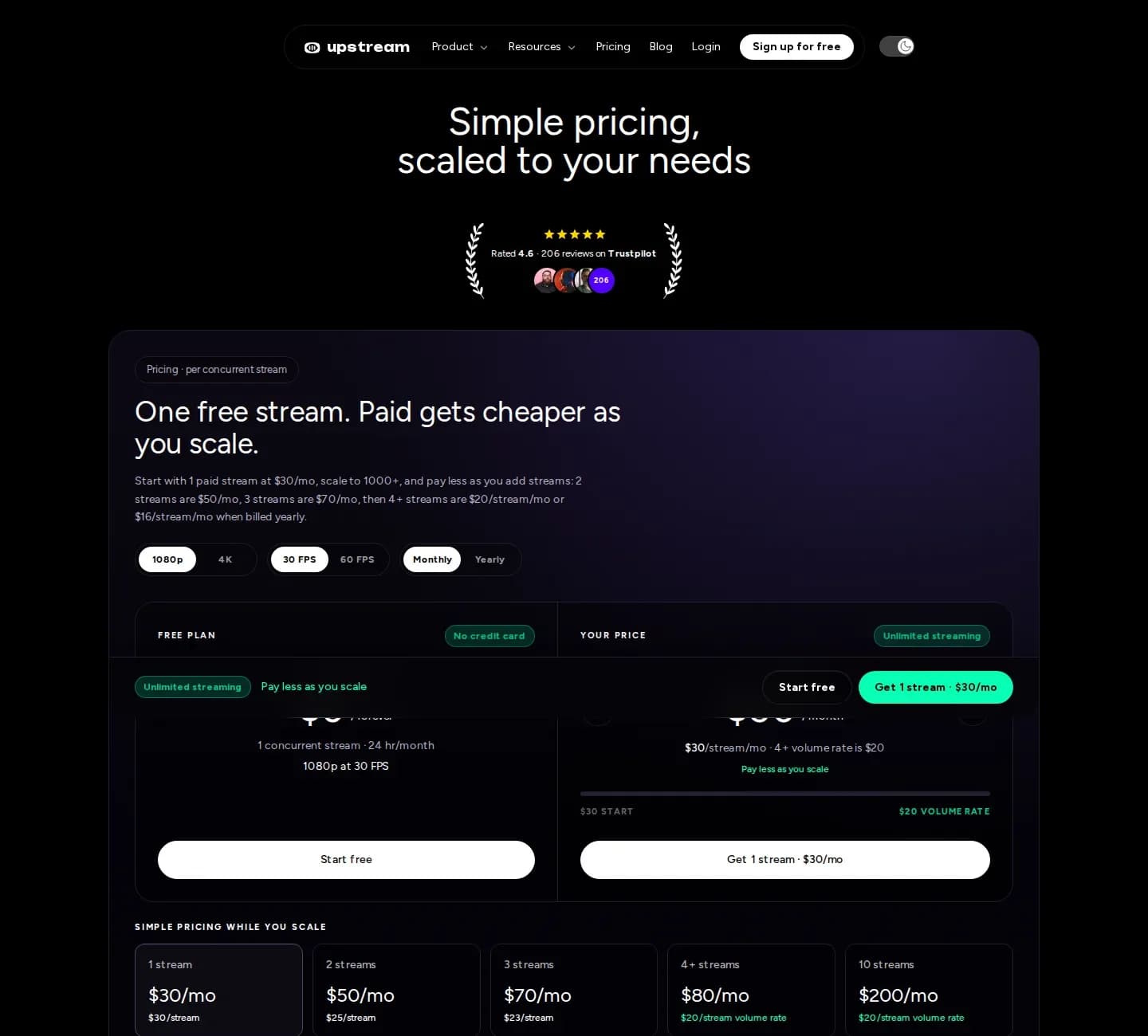
1 stream, 1080p30, 100GB storage, based on their public pricing page checked May 2026.
Platinum: 1080p30 / 720p60 with dedicated GPU and full OBS Studio access.
Upstream publicly advertises multistreaming to 10 platforms per stream.
Use obs-multi-rtmp, direct RTMP destinations, or a custom relay setup on your own server.
Do not fight Upstream on “zero technical knowledge”. Fight on “full OBS freedom, real Windows server, GPU encoder control and migration help for channels that outgrow video loopers”.
If your entire channel is uploading finished videos and arranging them in a browser, Upstream is hard to beat for convenience. If your channel needs a real broadcast tool, Space-Node wins: OBS is the industry-standard control room, and our job is to keep that control room online for you.
A practical comparison for buyers who are choosing a 24/7 YouTube live stream setup today.
| Decision point | Upstream.so | Space-Node |
|---|---|---|
| Best fit | Upload pre-recorded videos and manage them in a browser studio | Run a full OBS streaming server with live scenes, loops, plugins and RDP access |
| Ease of use | Very easy, no server or OBS knowledge needed | Easy after setup, with more controls visible inside OBS |
| Stream Designer | Built-in drag-and-drop stream designer | OBS scenes, browser sources, StreamElements, overlays, Advanced Scene Switcher |
| YouTube status | Publicly advertises YouTube Verified Software Encoder status | Uses standard OBS/RTMP workflow accepted by YouTube, Twitch and Kick |
| Pre-recorded loops | Native playlists, separate audio/video playlists and schedule rules | OBS Media Source, VLC playlist, local files, browser sources and automation plugins |
| Live content | Live Studio and guest features are advertised | Full OBS live workflow: browser capture, webcams, capture cards, game capture, NDI and RTMP input |
| Server access | SaaS dashboard only | Browser access plus RDP to the Windows streaming server |
| Encoder control | Platform-managed | NVENC GPU encoding on Platinum and higher, x264/NVENC settings under your control |
| Pricing angle | $30/mo for 1x 1080p30 public plan | €29.99/mo Platinum, €49.99/mo Diamond for 1080p60 / 1440p workloads |
| Who owns the workflow | Upstream controls the product environment | You control OBS, plugins, stream keys, files and recovery tools |
Upstream is a productized studio. Space-Node is an OBS server. That makes these setup details important before switching.
Keep source media on the server, not only inside a SaaS account. That makes backups, folder rotation and emergency replacement easier when a video breaks or gets claimed.
Match bitrate, keyframe interval and resolution to YouTube, Twitch or Kick before you go live. Platinum gives the closest 1080p30 Upstream-style replacement.
Create one safe scene that never depends on the main playlist. If a file path, stream key or overlay fails, switch to fallback instead of showing dead air.
If you only need separate audio/video playlists, Upstream is neat. If you want OBS visualizers, StreamElements, custom browser overlays, local audio processing or a now-playing widget you control, Space-Node is the better long-term base.
Upstream is strong for non-technical staff. Space-Node is strong when the agency has one technical operator who wants repeatable OBS templates, RDP access, backup scenes and per-client stream keys.
This is where Space-Node shines. Loop content all day, then switch to a live OBS scene with guests, browser capture, webcam, NDI, a capture card or another RTMP input without changing platforms.
Do not cancel a working Upstream stream first. Build the OBS version beside it, test privately, then switch the public stream key when you know the scene is stable.
Currency and tax differ by region. Use this as positioning, not a final invoice quote.
Compare all plansMost Upstream users land on Platinum. Gold works for simple 720p loops, Diamond is for 1080p60, 1440p or several RTMP outputs.
€19.99/mo
720p loops, radio and simple pre-recorded channels
Order Gold€29.99/mo
Closest Upstream entry replacement: 1080p30 with OBS and GPU
Order Platinum
€49.99/mo
1080p60, 1440p, multi-output OBS and heavier overlays
Order DiamondTrustpilot · 28 reviews
99.9%
Uptime, last 12 months
2-5 min
Server delivery time
12/7
Live chat & tickets
Hosted on high-speed European backbone network with direct low-latency peering to YouTube, Twitch, and Kick ingest servers. Turn off your PC while your stream stays online indefinitely.

Stream non-stop 1080p60 music, podcasts, or community live streams with zero local CPU load.

Direct European ingest to Twitch servers with crystal clear bitrate and zero dropped frames.

Custom Kick stream keys with instant reconnect capability and dedicated hardware encoding.

Relay your broadcast across multiple platforms simultaneously using OBS Studio multi-RTMP plugins.
Control Windows 11 and OBS Studio directly in Chrome or Safari on your phone, laptop, or Mac. No RDP clients needed.
Rock-solid unmetered upload speed directly peered at AMS-IX. Never drop frames due to home WiFi or ISP bandwidth limits.
Pre-installed with VLC video loopers and automated crash recovery so your channel never goes dark unexpectedly.
These pages are written for creators comparing cloud streamers, video loopers and OBS hosting before picking a 24/7 YouTube, Twitch or Kick setup.
OBS server vs Stream Designer, pricing, multistreaming and 24/7 YouTube workflows.
Read comparisonRemote server vs remote server: disclosed hardware, included DDoS protection and real OBS setup help.
Read comparisonFor pre-recorded loop channels that need overlays, live scenes and lower pricing.
Read comparisonScheduled playlists, 24/7 YouTube streams and OBS automation explained simply.
Read comparisonA less black-box way to run bot-like 24/7 streams with full OBS visibility.
Read comparisonCloud OBS for reactions, watch parties, browser sources, quizzes and fallback scenes.
Read comparisonCloud playout vs your own OBS streaming server with fallback scenes and NVENC.
Read comparisonIt depends on the job. Upstream is better if you want a polished no-technical-knowledge SaaS studio for pre-recorded video loops. Space-Node is better if you want full OBS Studio, server access, plugins, live sources, custom bitrate settings, GPU encoding and lower control over the underlying streaming machine.
Yes. OBS can loop a single Media Source forever, rotate playlists through VLC Video Source, or switch scenes by schedule with Advanced Scene Switcher. The result is the same always-on YouTube stream, but the workflow is inside OBS instead of a SaaS dashboard.
Upstream is easier for non-technical teams that only want to upload media, design in-browser and never see a server. Their public positioning around YouTube verification, Stream Designer, ad cuepoints and separate audio/video playlists is strong. We do not pretend otherwise; Space-Node competes by giving you the full streaming server and OBS freedom.
Gold is enough for light 720p loops. Platinum is the closest 1080p30 replacement and is our most common recommendation. Diamond is for 1080p60, 1440p, multiple outputs, heavier overlays or more browser sources.
Yes. OBS can stream to one destination directly, and obs-multi-rtmp can send the same output to YouTube, Twitch, Kick, Facebook, Rumble or a custom RTMP endpoint. For bigger setups we can also build a relay server.
No. OBS runs on the Space-Node streaming server in our Netherlands data center. Your home PC can be off after the stream is configured.
Yes. Send us your resolution, target platform, source media type and overlay requirements. We can map the workflow to OBS scenes, playlists, browser sources and a watchdog setup.
Tell us your current Upstream setup, stream resolution, platforms and source files. We will tell you which Space-Node plan matches it and what we would build in OBS.