
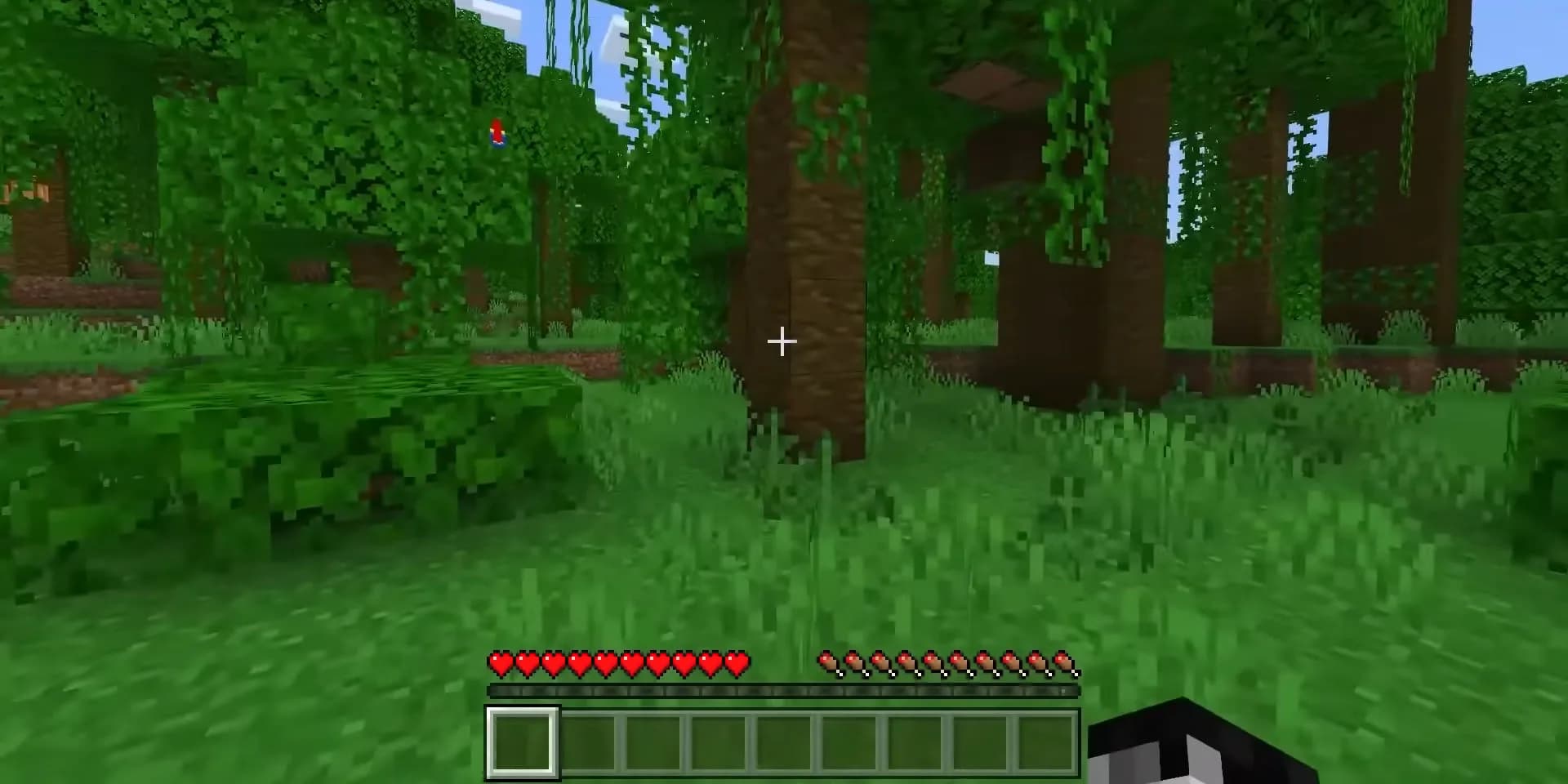
You want to run Better MC for your group and need the facts first: which Minecraft, Forge and Java version, how much RAM, and which files go on the server. This guide covers the current BMC4 release, walks through the official server pack and lists the settings worth changing. If you would rather start on a ready server, our Better MC server hosting plans are sized from the same server pack.
Quick answer: Better MC [FORGE] BMC4 runs on Minecraft 1.20.1 with Forge 47.4.20 and Java 17. On 1 November 2026 the newest server pack is v62 (BMC4_ServerPack_v62.zip, about 1 GB). The v62hf hotfix from 9 October has no server pack of its own, and players on v62hf can join a v62 server. The server pack loads 318 mods and sets a 4GB Java heap. Java needs memory on top of the heap, so 6GB is the smallest server we would run it on, 8GB is the size we suggest, and 12GB suits a public server. The pack publishes no player counts. Build the server from the server pack, not your own mods folder, and back up before every update.
What Better MC (BMC4) Is
Better MC [FORGE] BMC4 is a vanilla+ modpack by LunaPixelStudios. Its CurseForge page calls it "A Proper Vanilla+ Modpack" for Minecraft 1.20.1, and on 1 November 2026 it showed 18,910,790 downloads. It still plays like Minecraft. Among other things, the pack page lists:
- 100+ quests
- world generation reworked with Biomes O' Plenty and Geophilic
- new bosses and mobs from Mowzie's Mobs and Cataclysm
- thousands of new dungeons and structures from When Dungeons Arise and AdoraBuild: Structures
- the Aether dimension, extended with Deep Aether, Aether Redux and Aether Villages
- Waystones, XP Tomes, Xaero's Minimap and rideable dragons
The pack page counts 350+ mods. The v62 server pack loads 318 of them, including JEI, FTB Quests, Open Parties and Claims (land claims) and spark, and ships 58 client-side mods renamed to .jar.disabled.
Releases come about once a month: five between 23 June and 9 October 2026, from v59 to the v62hf hotfix. v62, the "Ocean Update", added 8 mods and updated 51. The server and every player need the same version.
Better MC Server Requirements
| Item | BMC4 v62 server |
|---|---|
| Minecraft | 1.20.1 |
| Mod loader | Forge 47.4.20 |
| Java | 17 |
| Java heap set by the server pack | 4GB (-Xmx4G -Xms4G) |
| Server memory | 6GB minimum, 8GB suggested, 12GB for a public server |
| Disk | about 1.1 GB unpacked, plus the world |
| CPU | fast single cores |
Java. Mojang's version data for 1.20.1 names Java 17, and the server pack's variables.txt says RECOMMENDED_JAVA_VERSION=17.
Memory. The server pack starts Java with a 4GB heap, and Java needs memory beyond the heap: PaperMC's guide to JVM flags advises a heap 1000 to 1500MB below the memory you have ("Do you have 8GB of memory? Use 6500MB for safety"). So 6GB is the floor. On 8GB you can raise the heap to about 6GB for when several players explore and generate new terrain at once, and on 12GB to about 10GB for a public server. Better MC publishes no server RAM figure or player counts, so check real use with spark before you upgrade.
CPU. The Minecraft Wiki's server requirements page asks for "a CPU with good single-core performance" and notes that the server typically uses three cores at most. Per-core speed counts for more than core count.
Hosting BMC4 With Us
On our Better MC plans, as of 1 November 2026 and for the Netherlands, Germany and Poland, 6GB (MC Lapis) costs €5.40 a month on Standard or €10.50 on Premium, 8GB (MC Diamond) €7.20 or €13.99, and 12GB (MC Special 1) €10.80 or €21.99, including VAT. In those three countries Standard runs on an AMD EPYC 7443 with DDR4 and Premium on a Ryzen 9 9950X with DDR5. In Canada and India, Standard runs on a Ryzen 9 3900X-class CPU, and India has no Premium. Your plan's RAM is reserved for your server, the CPU is shared with other servers on the node, and storage is NVMe.
BMC4 or BMC5: Forge vs NeoForge
Better MC has two current editions, and they are separate packs.
| BMC4 | BMC5 | |
|---|---|---|
| Minecraft | 1.20.1 | 1.21.1 |
| Loader | Forge 47.4.20 | NeoForge 21.1.250 |
| Java | 17 | 21 |
| Newest server pack (1 Nov 2026) | v62, 6 October 2026 | v53, 8 September 2026 |
| Mods in the server pack | 318 | 289 |
| Heap set by the server pack | 4GB | 4GB |
| CurseForge downloads (1 Nov 2026) | 18.9 million | 3.1 million |
BMC5 v54 came out on 29 October 2026 without a server pack (checked 1 November), so the newest BMC5 server pack is still v53; read the changelog before you move players to v54. Players need the edition and version the server runs, so plan on a new world if you switch. For the loaders themselves, see our Forge vs NeoForge comparison.
Setting Up a BMC4 Server From the Server Pack
Step 1: Download the v62 server pack
On the BMC4 CurseForge page, open the Files tab, choose BMC4 [FORGE] 1.20.1 v62 and look under Additional Files for BMC4_ServerPack_v62.zip. v62hf has no server pack, but it only removed Sodium/Embeddium Options Mod Compat, a client video settings mod that the v62 server pack already ships disabled, so the server side is the same. Never build a server from the client zip or your own CurseForge instance folder.
Step 2: Put the files on the server
The zip holds the start scripts, variables.txt, HOW-TO-RUN.md and the config, defaultconfigs, datapacks, modernfix and mods folders.
- On a game panel: use the modpack installer if it lists Better MC. Otherwise install Forge 47.4.20 for 1.20.1 from the panel, unpack the zip on your computer, upload its contents to the server's root folder over SFTP, and pick Java 17 in the startup settings.
- On your own Linux machine or VPS: unpack the zip into an empty folder, for example with
unzip BMC4_ServerPack_v62.zip -d bmc4.
Step 3: Give Java the memory you pay for
The server pack's variables.txt contains this line:
JAVA_ARGS="-Xmx4G -Xms4G"
Every time start.sh runs, it writes these arguments into user_jvm_args.txt and warns you to edit JAVA_ARGS in variables.txt, not user_jvm_args.txt, because it replaces that file on each start. If your server starts through that script, Java never uses more than 4GB, whatever your plan size. For an 8GB server, change the line to:
JAVA_ARGS="-Xmx6G -Xms6G"
If you want Aikar's flags, the garbage collector settings from PaperMC's guide, add them to the same line after the heap:
JAVA_ARGS="-Xms6G -Xmx6G -XX:+UseG1GC -XX:+ParallelRefProcEnabled -XX:MaxGCPauseMillis=200 -XX:+UnlockExperimentalVMOptions -XX:+DisableExplicitGC -XX:+AlwaysPreTouch -XX:G1NewSizePercent=30 -XX:G1MaxNewSizePercent=40 -XX:G1HeapRegionSize=8M -XX:G1ReservePercent=20 -XX:G1HeapWastePercent=5 -XX:G1MixedGCCountTarget=4 -XX:InitiatingHeapOccupancyPercent=15 -XX:G1MixedGCLiveThresholdPercent=90 -XX:G1RSetUpdatingPauseTimePercent=5 -XX:SurvivorRatio=32 -XX:+PerfDisableSharedMem -XX:MaxTenuringThreshold=1 -Dusing.aikars.flags=https://mcflags.emc.gs -Daikars.new.flags=true"
If your panel starts Forge with its own startup command instead of start.sh, its startup settings decide the memory. /spark health shows what the server really uses. Our Aikar's flags guide explains what each flag does.
Step 4: Start the server and accept the EULA
On Linux, check Java first:
java -version
If Java 17 is missing, the script installs a suitable Java itself, as long as JAVA="java" and SKIP_JAVA_CHECK=false stay at their defaults in variables.txt. On Ubuntu 22.04 or 24.04 you can also install it yourself:
sudo apt install openjdk-17-jre-headless
Then start the server inside tmux (sudo apt install tmux if you do not have it), so it keeps running after you log out:
cd bmc4
tmux new -s bmc4
bash start.sh
The first run installs Forge 47.4.20 through NeoForged's ServerStarterJar, which creates run.sh and run.bat; HOW-TO-RUN.md says to ignore those and keep using start.sh. The script then asks you to type I agree to accept Mojang's EULA and writes eula=true to eula.txt. With RESTART=true, also a default, the script starts the server again 5 seconds after it stops, after a crash and after a normal stop alike. Press Ctrl+C during those 5 seconds to quit.
On a game panel, start the server once, set eula=true in eula.txt, and start it again.
Step 5: Get players on the same version
Players install Better MC [FORGE] BMC4 v62 or v62hf in the CurseForge app. Both report "v62" to Better Compatibility Checker, which shows in the multiplayer list whether a player's version matches the server. Better MC is a Java Edition pack; for friends on Bedrock, read Better MC and Bedrock.
server.properties and BMC4 Config Files
The server pack ships no server.properties, so the server writes Minecraft's defaults on its first start. These three lines are worth a look:
view-distance=10
simulation-distance=10
allow-flight=false
view-distancesets how many chunks around each player the server sends, andsimulation-distancehow far from players mobs keep updating. Both default to 10, and the Minecraft Wiki advises lowering the simulation distance when players have major lag.- With
allow-flight=false, players in Survival who stay in the air for 5 seconds or longer get kicked. If that happens while they use flying gear or mounts from the pack, set it totrue.
Per Forge's config documentation, files ending in -common.toml in config/ apply to the whole server, and files ending in -server.toml sit per world in world/serverconfig/. Two examples from the pack:
config/waystones-common.toml: the pack sets the XP cost multipliers to0.0, so waystone travel costs no XP. RaisewaystoneXpCostMultiplierto make it cost levels.config/betterdungeons-forge-1_20.toml: YUNG's Better Dungeons options such as chest and banner counts, skulls in dungeons, and small Nether dungeons (off by default). This file does not set how often dungeons spawn.
Pregenerate the World With Chunky
Pregenerating builds terrain before players arrive, so the server does not have to generate it while they explore. The pack has no pregeneration mod. Chunky has a Forge build for 1.20.1 on Modrinth (1.3.146) and is optional on the client, so only the server needs it: put the jar in mods/ and restart. Then run this in the server console:
chunky spawn
chunky radius 2000
chunky start
That generates a 4,000 by 4,000 block square around the world spawn (Chunky's default shape is a square, and the radius is in blocks). chunky pause saves the task and chunky continue resumes it. In game, put a / in front of each command. Run it while nobody is online and watch your disk space: the world grows with every chunk.
Finding Lag With spark
spark ships in the server pack, so you can measure without installing anything:
/spark tps
/spark health
/spark profiler start --timeout 300
/spark tps prints the tick rate and CPU usage, and /spark health adds memory and disk use. The profiler stops by itself after 300 seconds and gives you a link to a report of where the server spends its tick time. Our spark profiler guide shows how to read it.
Updating Without Losing the World
The server pack contains no backup mod, so make your own backup before every update:
- Stop the server and copy the
worldfolder somewhere safe, or make a backup in your panel. - Read the changelog and check the release's Additional Files: not every release gets a server pack.
- Replace the
modsfolder with the new one (delete the old folder first, so removed mods do not stay behind), copy overconfig,defaultconfigsand the start files, then redo your own changes, such asJAVA_ARGSand config edits. - Keep
world,server.properties,eula.txt,ops.jsonandwhitelist.json. - Start the server, read the log, then tell players to update.
Our guide to Minecraft world backups and restores covers rolling a world back.
Common BMC4 Server Problems
The server only uses 4GB. JAVA_ARGS in variables.txt still says -Xmx4G. Change it there, not in user_jvm_args.txt, which start.sh overwrites on every start.
Players cannot join. Check the version shown by Better Compatibility Checker in the server list. A player on v61 needs v62 or v62hf to join a v62 server.
The server crashes at start after you copied mods yourself. Client-side mods can stop a dedicated server from starting. Rebuild from the server pack, which ships those 58 mods disabled.
"A single server tick took 60.00 seconds". The watchdog stopped the server because one tick took longer than max-tick-time (60000 milliseconds by default). Find the cause with spark before you raise the limit.
FAQ
What are the Better MC server requirements?
BMC4 needs Minecraft 1.20.1, Forge 47.4.20 and Java 17. Its server pack sets a 4GB heap, so give the server at least 6GB, 8GB for room to grow, and a CPU with fast single cores. BMC5 needs Minecraft 1.21.1, NeoForge and Java 21.
Better MC Forge vs NeoForge: which should my server run?
Run the edition your group plays. BMC4 is the Forge pack for 1.20.1 and by far the more downloaded (18.9 million against 3.1 million on 1 November 2026); BMC5 is the NeoForge pack for 1.21.1 with Java 21. Both server packs set a 4GB heap, so they need the same server size.
Can I host a BMC4 server locally without paying?
Yes. The server pack is free, and start.sh or start.bat runs it on your own PC with Java 17 if the PC has memory to spare next to your own game. The server is only online while that PC runs, and friends outside your home network need TCP port 25565 forwarded on your router. If you only want to play together while you are online, the pack page also lists "Built-in, Free World Sharing".
Does Better MC BMC4 include JEI?
Yes. JEI (Just Enough Items) is part of the pack, and the v62 server pack ships jei-1.20.1-forge-15.21.0.138.jar, so you do not need to add it.
Where are the BMC4 server.properties and config files?
server.properties appears in the server's root folder after the first start. Mod settings are in config/ (whole server) and world/serverconfig/ (per world), and the memory setting is JAVA_ARGS in variables.txt.
Sources
All opened on 1 November 2026:
- Better MC [FORGE] BMC4 on CurseForge (description, mod count, downloads)
- BMC4 files on CurseForge (v59 to v62hf release dates, server pack availability)
- BMC4 v62 and its server pack (BMC4_ServerPack_v62.zip: variables.txt, start.sh, HOW-TO-RUN.md, mods and config folders)
- Better MC [NEOFORGE] BMC5 on CurseForge (v53 server pack, v54 release, downloads)
- Mojang version manifest (Java 17 for 1.20.1, Java 21 for 1.21.1)
- PaperMC: Aikar's flags
- Minecraft Wiki: server.properties
- Minecraft Wiki: Server requirements
- Forge documentation: Configuration (1.20.x)
- Chunky on Modrinth and Chunky commands wiki
- spark command usage
- Ubuntu package openjdk-17-jre-headless (24.04)