
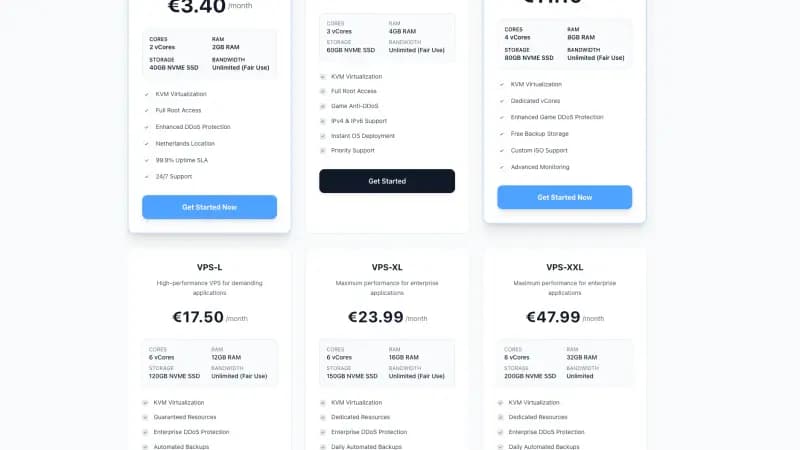
Quick answer: A normal VPS is usually not a full cloud gaming PC. It can host game servers well, but interactive cloud gaming needs GPU acceleration, low latency, and a setup built for remote play.
Who this guide is for
This guide is for people searching cheap cloud gaming options in the Netherlands and trying to understand the difference between game server hosting and playing games remotely.
Recommended baseline
| Scenario | Baseline | Notes |
|---|---|---|
| Minecraft or FiveM server | VPS or game hosting | Good fit |
| Steam game remote play | GPU server needed | Normal VPS is not enough |
| Sunshine host with Moonlight client | GPU plus low latency | Custom setup |
| Casual low-cost gaming | Dedicated cloud gaming service | Often simpler |
Moonlight is the client you play on, and Sunshine is the host it recommends. Sunshine describes itself as a self-hosted game stream host that encodes the stream on the GPU and also offers software encoding. Its minimum requirements list a GPU with a hardware video encoder, and Moonlight's setup guide asks for a modern GPU in the host PC. A VPS without a GPU meets neither.
Setup checklist
- Decide if you are hosting a server or playing a game.
- Check GPU availability before buying.
- Test latency from your home network.
- Use a wired connection where you can. Moonlight's setup guide highly recommends Ethernet between the host PC and its router, and 5 GHz Wi-Fi (Wi-Fi 5 or Wi-Fi 6) for the device you play on.
- Do not pay for a VPS to play games on if it has no GPU.
Common mistakes
- Buying a CPU-only VPS and expecting the experience of a cloud gaming service.
- Confusing game server hosting with cloud gaming.
- Ignoring controller and input latency.
- Running GPU workloads against provider terms.
Space-Node recommendation
Space-Node VPS plans run in an EU data center and have no GPU, so they are not cloud gaming PCs. Use VPS hosting for game servers and backend tools. For a game server with a control panel, use Minecraft, FiveM, or Rust hosting.
For Roblox, use our Roblox machines in the Netherlands: the Roblox AFK VM (€19.99 a month as of 31 October 2026) has no GPU either, so it runs Roblox at low FPS and suits AFK and Roblox Studio, while the Roblox Cloud PC (€49.99 a month) is a mini PC with integrated graphics for smooth play.
FAQ
Can I start smaller and upgrade later?
Yes. Start with the smallest plan that fits the baseline, monitor CPU, RAM, disk, and network for a few real sessions, then upgrade when the graphs show a bottleneck. Guessing too high wastes money. Guessing too low creates downtime.
Is bandwidth or CPU more important?
It depends on the workload. Video streaming cares about stable outbound bandwidth and encoding headroom. Minecraft, FiveM, Discord bots, and n8n usually hit CPU, RAM, database, or bad configuration first.
Should I use a VPS or a managed product?
Use a managed product when you want speed and support. Use a VPS when you need root access, custom software, Docker, or unusual workflows. If the workload is public or revenue critical, avoid anonymous ultra-cheap hosts with unclear limits.
Sources
All opened on 31 October 2026:
- Sunshine: README with system requirements
- Moonlight: homepage and setup guide