Streaming to more than one platform at the same time is one of the fastest ways to grow. The obs-multi-rtmp plugin lets you push a single OBS scene to Twitch, YouTube, Kick, and custom RTMP endpoints together. Here is how it works and when a server relay is the smarter choice.
What obs-multi-rtmp does
By default OBS streams to one destination. The obs-multi-rtmp plugin adds a dock where you can add extra RTMP targets, each with its own stream key. When you go live, OBS encodes your scene and sends a copy to every target you enabled.
This is the simplest way to multistream without a paid service like Restream, and it is free and open source.
Step 1: install the plugin
- Download obs-multi-rtmp from its GitHub releases page, matching your OBS version.
- Close OBS.
- Run the installer, or copy the plugin files into your OBS plugins folder.
- Open OBS. You should see a new Multi-RTMP dock. If not, enable it under View, then Docks.
Step 2: add your platforms
For each platform you want to stream to:
- In the Multi-RTMP dock, click Add new target.
- Paste the RTMP server URL and the stream key from that platform.
- Repeat for Twitch, YouTube, Kick, or any custom RTMP endpoint.
Keep your main OBS stream settings pointed at your primary platform, then use the dock targets for the rest.
Step 3: watch your upload and CPU
This is the catch. The obs-multi-rtmp plugin sends a separate copy of your stream to each platform from your own PC. Streaming 1080p at 6 Mbps to three platforms means your home connection is uploading around 18 Mbps, plus extra CPU for the encoders. If your upload cannot hold that, every platform buffers.
Before going live to several platforms, run a bandwidth test and leave headroom. Lower the bitrate or resolution if your upload is tight.
When to use a VPS relay instead
If your home upload is limited, or you want your multistream to stay online 24/7, a server-side relay is better. You send one stream to a VPS, and the VPS fans it out to every platform. Your PC only uploads once, and the heavy duplication happens on the server's fast connection.
This is how tools like Restream work behind the scenes, and you can self-host the same setup with nginx-rtmp or obs-multi-rtmp running on a streaming VPS. It also means your stream keeps running even if your PC is off.
Which should you pick?
- Use the obs-multi-rtmp plugin if you have a strong upload and stream from your PC while you are at it.
- Use a VPS relay if your upload is limited, you multistream often, or you want an always-on channel.
The short answer
The obs-multi-rtmp plugin is the free way to stream to Twitch, YouTube, and Kick at once, but it multiplies your upload and CPU load. For limited connections or 24/7 streams, send one feed to a relay server and let it handle the copies.
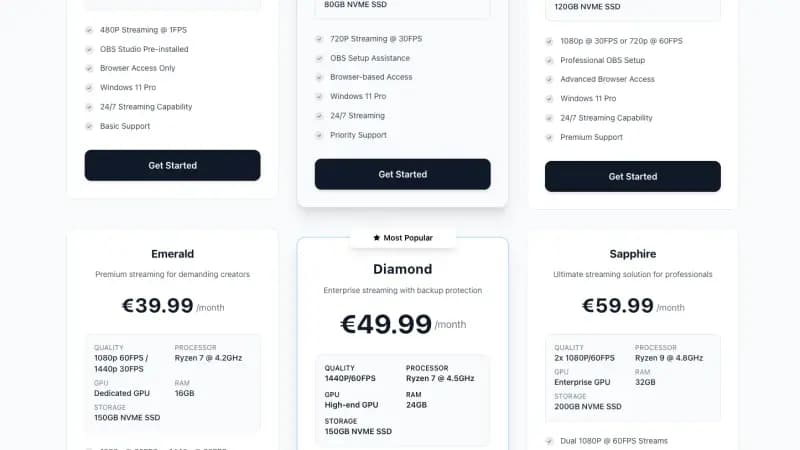
Space-Node streaming VPS servers run in the Netherlands on 1Gbps uplinks, ideal as an RTMP relay for reliable multistreaming. See the plans on our streaming VPS page.