
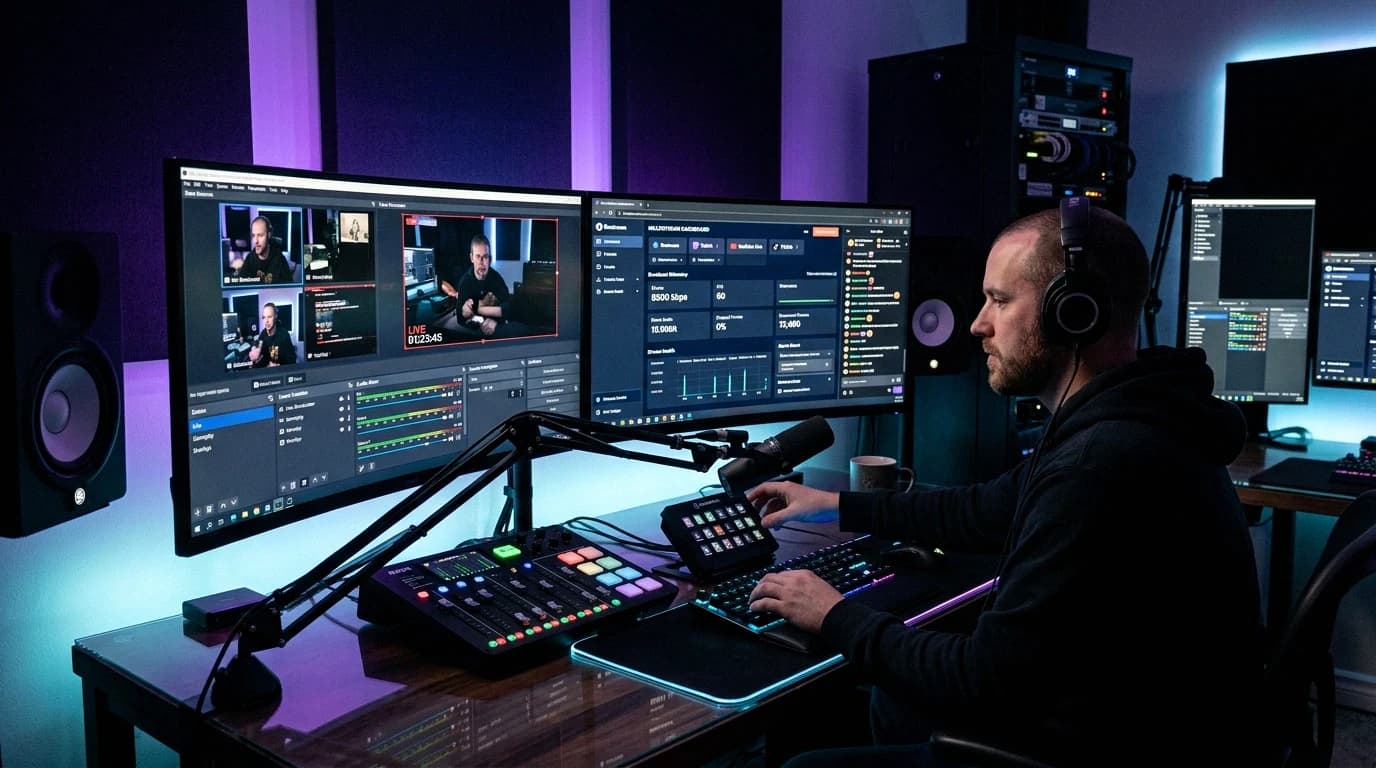
You want a New Year's Eve countdown live stream for the night of 31 December 2026, and before you announce it you need to know when midnight arrives for your viewers, whether to count down once or follow midnight around the world, and what can cut the stream off halfway. The times here come from the IANA time zone database and the rules from YouTube Help and Twitch's own pages. The OBS side, a timer page that switches scenes at zero, is in our OBS countdown stream guide.
Quick answer: The year 2027 first arrives at 10:00 UTC on Thursday 31 December 2026 in Kiritimati (UTC+14) and last at 11:00 UTC on Friday 1 January in American Samoa and Niue (UTC-11). Tokyo passes midnight at 15:00 UTC, Berlin and Paris at 23:00 UTC, London at 00:00 UTC, New York at 05:00 UTC and Los Angeles at 08:00 UTC. Count down to one midnight for one audience; a rolling countdown through every zone runs 25 hours, beyond the 12 hours YouTube archives automatically. Schedule YouTube with a custom stream key and auto-start, play only recordings you have rights to, never present old fireworks footage as live, and rehearse the whole chain a few days before.
When Midnight Arrives in Each Time Zone, in UTC
Every time below comes from the IANA tz database, the time zone data behind the GNU C Library on Linux, Android, macOS and many JavaScript runtimes, for midnight local time on 1 January 2027.
| UTC time | Midnight in | UTC offset |
|---|---|---|
| Thu 31 Dec, 10:00 | Kiritimati, Line Islands (Kiribati) | +14 |
| Thu 31 Dec, 10:15 | Chatham Islands (New Zealand) | +13:45 |
| Thu 31 Dec, 11:00 | Auckland, Tonga, Samoa | +13 |
| Thu 31 Dec, 13:00 | Sydney, Melbourne | +11 |
| Thu 31 Dec, 15:00 | Tokyo, Seoul | +9 |
| Thu 31 Dec, 16:00 | Beijing, Hong Kong, Singapore, Manila, Perth | +8 |
| Thu 31 Dec, 17:00 | Bangkok, Jakarta, Ho Chi Minh City | +7 |
| Thu 31 Dec, 18:15 | Kathmandu | +5:45 |
| Thu 31 Dec, 18:30 | India | +5:30 |
| Thu 31 Dec, 20:00 | Dubai | +4 |
| Thu 31 Dec, 21:00 | Moscow, Istanbul, Riyadh, Nairobi | +3 |
| Thu 31 Dec, 22:00 | Athens, Helsinki, Kyiv, Cairo, Johannesburg | +2 |
| Thu 31 Dec, 23:00 | Berlin, Paris, Amsterdam, Madrid, Rome, Warsaw, Lagos | +1 |
| Fri 1 Jan, 00:00 | London, Dublin, Lisbon, Reykjavik | 0 |
| Fri 1 Jan, 03:00 | São Paulo, Buenos Aires, Santiago | -3 |
| Fri 1 Jan, 03:30 | St. John's, Newfoundland | -3:30 |
| Fri 1 Jan, 04:00 | Halifax, Caracas, Havana | -4 |
| Fri 1 Jan, 05:00 | New York, Toronto, Winnipeg, Bogotá, Lima | -5 |
| Fri 1 Jan, 06:00 | Chicago, Mexico City | -6 |
| Fri 1 Jan, 07:00 | Denver, Phoenix, Vancouver | -7 |
| Fri 1 Jan, 08:00 | Los Angeles, Tijuana | -8 |
| Fri 1 Jan, 09:00 | Anchorage | -9 |
| Fri 1 Jan, 10:00 | Honolulu | -10 |
| Fri 1 Jan, 11:00 | American Samoa, Niue | -11 |
Three things catch people out:
- Quarter and half hours. Kathmandu reaches midnight at 18:15 UTC, before India at 18:30, and the Chatham Islands are 45 minutes ahead of Auckland. The database's location zones use 37 different UTC offsets that night: a midnight at the top of every hour from 10:00 UTC on 31 December to 11:00 UTC on 1 January, plus 11 on a half or quarter hour.
- Three changes from 2026. British Columbia moved to permanent UTC-7 on 9 March 2026, so Vancouver celebrates with Denver, an hour before Los Angeles. Manitoba's permanent UTC-5 took effect on 31 October 2026, so Winnipeg shares midnight with New York instead of Chicago. And Cuba did not fall back on 1 November: it stays on UTC-4, so Havana reaches midnight at 04:00 UTC. Time zone data older than release 2026f, published on 27 October 2026, still puts Havana an hour later.
- The very last zone. UTC-12 exists as an offset (Etc/GMT+12 in the database), but none of its location zones uses it that night. American Samoa and Niue close the night at 11:00 UTC; neighbouring Samoa (Pacific/Apia) was among the first, 24 hours earlier.
So write fixed UTC times into anything that counts down, rather than trusting the time zone data inside whatever program shows the clock.
One Midnight or a Rolling Countdown
A single-zone countdown builds up to one midnight. It is short, say 23:00 to 00:30 local time, it ends with the one scene switch the countdown guide builds, and viewers elsewhere can watch the replay. Pick the zone most of your viewers live in and put that local time and the UTC time in the title.
A rolling countdown follows midnight around the globe: 25 hours from Kiritimati to American Samoa, with a new midnight at least once an hour. That length matters on YouTube, whose archive page says that if your stream exceeds 12 hours, "it may not be captured at all", and recommends recording a local archive as a backup. Three ways around it:
- Cover part of the world. Most of Europe and the Americas, from Athens at 22:00 UTC to Los Angeles at 08:00 UTC, fit in 10 hours.
- Split the night. Two streams under 12 hours can't cover 25, so use three events, for example Oceania and Asia (10:00 to 20:00 UTC), Europe and Africa (21:00 to 00:00 UTC), the Americas and the Pacific (03:00 to 11:00 UTC).
- Record locally. Keep all 25 hours on disk and upload the parts you want afterwards.
A rolling stream needs a clock that knows every stop. This page counts down to the next midnight in its list, names the places, shows "Happy New Year" for a minute and moves on. It uses fixed UTC times from the table, so it doesn't depend on the time zone data of the browser rendering it:
<!doctype html>
<html>
<head>
<meta charset="utf-8">
<style>
  html, body { height: 100%; margin: 0; }
  body {
    display: flex; flex-direction: column;
    align-items: center; justify-content: center;
    color: #fff; font-family: sans-serif; text-align: center;
    font-variant-numeric: tabular-nums;
  }
  #place { font-size: 56px; }
  #clock { font-size: 160px; font-weight: 700; }
</style>
</head>
<body>
<div id="place"></div>
<div id="clock"></div>
<script>
// Midnight in UTC per stop, from the IANA tz database (release 2026f)
const STOPS = [
  ["2026-12-31T10:00:00Z", "Kiritimati"],
  ["2026-12-31T11:00:00Z", "Auckland and Tonga"],
  ["2026-12-31T13:00:00Z", "Sydney and Melbourne"],
  ["2026-12-31T15:00:00Z", "Tokyo and Seoul"],
  ["2026-12-31T16:00:00Z", "Beijing, Singapore and Manila"],
  ["2026-12-31T18:30:00Z", "India"],
  ["2026-12-31T20:00:00Z", "Dubai"],
  ["2026-12-31T21:00:00Z", "Moscow and Istanbul"],
  ["2026-12-31T22:00:00Z", "Athens, Kyiv and Cairo"],
  ["2026-12-31T23:00:00Z", "Berlin, Paris and Amsterdam"],
  ["2027-01-01T00:00:00Z", "London, Dublin and Lisbon"],
  ["2027-01-01T03:00:00Z", "São Paulo and Buenos Aires"],
  ["2027-01-01T05:00:00Z", "New York, Toronto and Winnipeg"],
  ["2027-01-01T06:00:00Z", "Chicago and Mexico City"],
  ["2027-01-01T07:00:00Z", "Denver and Vancouver"],
  ["2027-01-01T08:00:00Z", "Los Angeles"],
  ["2027-01-01T10:00:00Z", "Honolulu"],
  ["2027-01-01T11:00:00Z", "American Samoa and Niue"]
].map(([time, name]) => [Date.parse(time), name]);
const HOLD = 60 * 1000;   // how long "Happy New Year" stays up

const place = document.getElementById("place");
const clock = document.getElementById("clock");
function two(n) { return String(n).padStart(2, "0"); }

function tick() {
  const now = Date.now();
  const just = STOPS.find(([t]) => now >= t && now < t + HOLD);
  const next = STOPS.find(([t]) => t > now);
  if (just) {
    place.textContent = just[1];
    clock.textContent = "Happy New Year";
  } else if (next) {
    const left = Math.ceil((next[0]-now) / 1000);
    place.textContent = "Midnight in " + next[1];
    clock.textContent = two(Math.floor(left / 3600)) + ":" +
      two(Math.floor(left / 60) % 60) + ":" + two(left % 60);
  } else {
    place.textContent = "";
    clock.textContent = "Happy 2027";
  }
}

tick();
setInterval(tick, 250);
</script>
</body>
</html>
Add rows from the table as you like, but keep the list in time order, because the page takes the first stop still ahead. Load it as a local file into a Browser source sized to your canvas, as steps 2 and 3 of the countdown guide show. It stays on one scene all night; for a single zero that switches scenes, use the guide's page.
Scheduling the Stream on YouTube
An unattended YouTube stream has to start without anyone clicking Go live:
- Make a custom stream key. YouTube Help: "To reuse the same stream key, create a custom stream key." Put that key in OBS once; our YouTube stream key guide shows where it lives.
- Schedule the event. In YouTube Studio, click CREATE, then Go Live to open the Live Control Room. Open the Manage tab and click SCHEDULE STREAM, then Create new. Check the start time against the UTC table above before you save it. A scheduled stream "may show up in your subscribers feed as upcoming".
- Turn on auto-start and auto-stop. YouTube: "When these settings are on, you can start or stop streaming from your encoder." Without them, YouTube's own steps have you wait for the stream preview and click Go live yourself.
- Make the test event first. Then create the real one with Reuse settings. YouTube says the new stream copies "the previous stream's metadata, settings, and the stream key", auto-start and auto-stop included, so the real night runs on what you tested.
Scheduling the Stream on Twitch
Twitch's stream schedule tells viewers when to come; it starts nothing. Its developer docs say "Twitch does not require scheduling a broadcast before you start your livestream", so what puts you on air is OBS starting the stream on time.
A one-off entry for 31 December is a non-recurring segment, and the same docs say "Only partners and affiliates may create non-recurring segments." Other channels only get recurring segments, which repeat weekly on the same weekday and time. Without the entry, put the start time in UTC and your main local time in the stream title and a channel panel.
Music: Old Songs, New Recordings
Auld Lang Syne is the obvious midnight song, and the song is old. The Library of Congress writes that authorities date Robert Burns's text to 1788, that the words were first published in 1796, and that the tune George Thomson printed with them in 1799 "became the standard melody we all sing today." The US Copyright Office states that "all works published in the United States before January 1, 1931, are in the public domain."
The recording is the problem. Recording a song can create two works, a musical work and a sound recording, which the Copyright Office says "are commonly owned and licensed separately." A modern recording of an 18th-century song still has an owner. Sing or play it yourself, or use a recording whose licence covers live streaming. YouTube's Audio Library page, for example, offers its tracks "to use in your videos" and says nothing about live streams. Our DMCA-safe music guide lists sources for background music.
Both platforms act during the stream:
- YouTube scans all live streams "for matches to third-party content". On a match, a placeholder image may replace your stream and you get a warning; if the content stays, the stream "will be temporarily interrupted or terminated." Even licensed content can interrupt a stream unless the owner adds your channel to their allowlist through Content ID, YouTube's "automated content identification system".
- Twitch's Music Reporting Process, for channels outside its DJ Program, suspends "a channel primarily focused on broadcasting recorded music over prolonged periods of time without streamer interaction" permanently on the first report, which is close to an unattended all-night playlist. Rebroadcasting concerts with recorded music ends the stream with a 48-hour suspension on the first report. The process covers only rights holders who opted in; DMCA notices still apply on top.
Fireworks Footage You Did Not Shoot
If you didn't film the fireworks, someone else did, and a broadcaster's live coverage of them has an owner. YouTube's scan includes "copyrighted content in the form of another live broadcast", certain partners use Content ID "to find copies of their live streams happening in real time", and YouTube lists "Your live stream matches another copyrighted live broadcast" among the reasons it restricts live streaming. YouTube's copyright FAQ closes the usual escape routes: giving credit "doesn't automatically give you the rights", disclaimers like "no infringement intended" don't help, and for footage taped off TV, "Just because you recorded something doesn't mean you own all the rights."
That leaves three clean options: footage you shot yourself, this year or in earlier ones; stock footage under a licence that allows it, such as Pexels, whose videos "can be downloaded and used for free" without attribution, though not sold as unaltered copies or used to show identifiable people in a bad light; or written permission from the owner. On YouTube, a licence alone may not stop an automatic interruption unless your channel is on the owner's allowlist, and broadcast footage usually brings its soundtrack, and the music rules above, with it.
Pre-recorded or Looped Content Presented as Live
Showing last year's midnight is fine. Calling it live is where it goes wrong.
On YouTube, the honest format for a pre-recorded show is a Premiere, which lets "you and your viewers watch and experience a new video together in real time", with a countdown first. Premieres don't support Shorts or output above 1080p, and the video stays on your channel as a regular upload afterwards. A replay labelled live risks YouTube's spam policy against "maliciously misleading titles, thumbnails, descriptions, or imagery to trick users", whose example is a title promising a full sports match over a clip. It applies to unlisted and private content too.
Twitch's Terms of Service allow "streaming live and pre-recorded audio-visual works" but forbid you to "misrepresent the source, identity, or content of information transmitted". Put "replay" or "recorded in 2025" in the title of anything that isn't happening now.
A clock that reads the real time over a looping background is a genuine live countdown. What matters is that the title, thumbnail and any "live from Sydney" caption match what viewers see.
Do a Full Test Run a Few Days Before
Rehearse on a working day such as Monday 28 December, with the exact setup of the real night:
- Use the real chain. Same machine, OBS scene collection, stream key, music and footage, and a YouTube test event with the settings you will reuse.
- Move midnight closer. Add a test stop a few minutes ahead at the top of the rolling list, or follow the countdown guide's rehearsal for a single zone. Check each stop against a UTC clock.
- Start it the way the real night starts. YouTube should go live through auto-start and end through auto-stop when OBS stops.
- Keep it from viewers. Make the YouTube test unlisted; on Twitch, use the
?bandwidthtest=truetest from the countdown guide. - Check for copyright matches. YouTube makes Content ID claims on a live stream only after it ends, and only if you archive it, so archive the test and look for claims in YouTube Studio. A placeholder during the test tells you sooner.
- Let it run. Leave it an hour or two, watch dropped and skipped frames in OBS's Stats window, and write down what you will do if OBS crashes at 23:50.
Then remove the test stops and check the real list once more.
Leaving It Running Unattended
Step 6 of the countdown guide covers the machine: a synchronised clock, starting OBS straight onto the countdown scene and streaming, ending with the Output Timer, and restarting cleanly after a crash. For New Year's Eve, set the Output Timer to the length you planned, so a 10-hour Europe and Americas stream doesn't run into the afternoon. If you record locally, check free disk space first: at 6,000 kbps an hour of recording takes about 2.7 GB, so 10 hours need about 27 GB.
If you'd rather not leave your own PC on all night, our streaming plans give you a remote machine that you open in your web browser and run OBS on, so the stream keeps going with your computer off. The plans encode on the CPU, so use OBS's software encoder (x264) and pick by the quality each plan lists: Platinum for 1080p at 30 fps or 720p at 60 fps, Emerald for 1080p at 60 fps. Our human support works 08:00 to 20:00 UTC, which ends before midnight reaches Moscow, so do the test run inside those hours.
FAQ
What time is midnight in New York in UTC on New Year's Eve 2026?
05:00 UTC on Friday 1 January 2027. New York is on UTC-5 in winter, shared with Toronto and, since Manitoba's change, Winnipeg. Chicago follows at 06:00 UTC, Los Angeles at 08:00 UTC.
Which country celebrates New Year 2027 first, and which last?
Kiribati is first: Kiritimati in its Line Islands, on UTC+14, reaches midnight at 10:00 UTC on 31 December. American Samoa and Niue, on UTC-11, are last at 11:00 UTC on 1 January. Neighbouring Samoa is on UTC+13, so it and American Samoa celebrate exactly a day apart.
Can I play Auld Lang Syne on my New Year live stream?
The words and melody are from the 18th century, so the song is not the issue. A commercial recording has its own owner and can trigger Content ID on YouTube or a report on Twitch. Sing or play it yourself, or use a recording licensed for live streaming.
Can I restream the Sydney or London fireworks broadcast?
Not without the broadcaster's permission. YouTube scans live streams for matches with other live broadcasts and can restrict your live streaming, and crediting the source gives you no rights. Use your own footage, licensed stock footage or written permission.
How long can a New Year's Eve stream be on YouTube?
YouTube archives streams under 12 hours automatically and says longer ones may not be captured at all. A full rolling countdown takes 25 hours, so cover one region, split it into three events, or record locally and upload afterwards.
Sources
All opened on 8 November 2026:
- IANA: Time zone database (release 2026f, 27 October 2026), Sources and links, tz NEWS (British Columbia, Manitoba and Cuba changes), australasia data file (Kiritimati, Chatham, Tonga, Pago Pago, Niue)
- YouTube Help: Create a live stream with an encoder, Manage live stream settings, Archive live streams, Copyright issues with live streams, Avoid restrictions on YouTube live streaming, How Content ID works, Use Content ID matching on live streams, Frequently asked copyright questions, Set up a Premiere, Spam, deceptive practices and scams policies, Audio Library
- Twitch: Schedule guide for developers, Terms of Service, Music Reporting Process
- Music and footage: Library of Congress on Auld Lang Syne, US Copyright Office: What is copyright?, US Copyright Office: What musicians should know, Pexels license