
You want a website, a Git server, a dashboard and n8n online, and you can't decide between one bigger VPS and a few small ones, or how big either should be. Most apps document what they need, and those numbers make the choice concrete. This guide adds up RAM, CPU and disk, weighs one server against several, then covers isolation, ports, backups and monitoring. Commands are for Ubuntu 24.04 and Debian 12.
Quick answer: Collect what each app's docs ask for: RAM and disk add up, while CPU follows the busiest app and the jobs that run at the same time. Keep the RAM total under about three quarters of the plan. One bigger VPS is simpler and shares spare capacity; give an app its own server when it wants ports 80 and 443 to itself, needs as much as the rest together, belongs to someone else or needs its own maintenance window. On a shared server, give each app its own Compose project or Linux user, a memory limit and a port on 127.0.0.1 behind one reverse proxy, back up per app and check every domain from outside.
Step 1: Add Up What Each App Documents
From each project's own documentation:
| App | RAM | CPU and disk |
|---|---|---|
| Ubuntu Server 24.04 | 1 GB minimum (cloud image); 3 GB or more suggested | Disk: 4 GB minimum (cloud image); 25 GB or more suggested |
| Ghost | A server with at least 1 GB, for its whole stack (NGINX, Node.js, MySQL) | Not stated |
| Gitea | 1 GB for small teams | 2 cores for small teams |
| Nextcloud | 128 MB minimum, 512 MB recommended, per process | Not stated |
| n8n | No minimum stated; grows with the data each execution handles | Not stated |
| Immich | 6 GB minimum, 8 GB recommended | 2 cores minimum, 4 recommended; library plus 10 to 20% on average for thumbnails and transcoded video |
| Coolify | 2 GB | 2 cores; 10 GB of free disk |
RAM adds up. Count the system once, then every app. Whole-server figures (Ghost, Coolify) include the system, so adding them errs on the safe side. Figures per process multiply: two Nextcloud workers busy at once need 1 GB at 512 MB each. Measure apps without a figure: n8n "doesn't restrict the amount of data each node can fetch and process", so take its peak from docker stats on a test server. Our RAM guide shows how, and why the total should stay under about three quarters of the plan.
CPU follows the busiest moment. Idle apps leave their cores to the others, so CPU figures don't simply add up. Start from the highest one and look at what runs at once: a build, a photo import and the nightly backup in the same hour compete for the same vCores. Coolify's docs say to "Increase cores if running multiple workloads on one server". Spread scheduled jobs and give background work a lower CPU weight (step 3).
Disk adds up, then grows. Add the system (Ubuntu suggests 25 GB or more), each app's data, container images, logs and the dumps you keep before they go off-site; Coolify says to keep space "for Docker images, volumes, and backups". Leave room for a year of growth; our backup storage guide measures it.
A Worked Example
Ghost, Gitea, Nextcloud for a small team and n8n on one server:
| Part | RAM from the docs |
|---|---|
| Ubuntu 24.04 (cloud image minimum) | 1 GB |
| Ghost with NGINX and MySQL | 1 GB |
| Gitea | 1 GB |
| Nextcloud, two PHP workers at 512 MB | 1 GB |
| n8n | Your measured peak |
| Total | 4 GB plus n8n |
With the three-quarter margin, a 4 GB plan is already full and an 8 GB plan leaves about 2 GB for n8n and peaks; Gitea's 2 cores set the CPU floor. Add Immich and the documented RAM climbs to 10 to 12 GB plus n8n, with 4 cores recommended: at least a 16 GB plan, or a second server.
Step 2: One Bigger VPS or Several Small Ones
| One bigger VPS | Several smaller VPSs | |
|---|---|---|
| Spare RAM and CPU | Shared: a quiet app leaves room for a busy one | Stuck on the server that has it |
| Operating system | Sized, patched and backed up once | Once per server |
| An app runs out of memory | The kernel may kill any process on the server | Only that server is hit |
| The disk fills up | Writes fail for every app | Only that server's apps |
| A reboot | Every app restarts | One server at a time |
| One app is compromised | It shares a kernel with the others | It runs in its own virtual machine |
| Apps talk to each other | Over 127.0.0.1 or a Docker network | Over the network, which you encrypt |
Memory bites first. When the kernel runs short, Docker's docs warn, "Any process is subject to killing, including Docker and other important applications", so set a limit per app (step 3). Updates are shared too: on Ubuntu 24.04, needrestart "restarts the affected services automatically by default", and a reboot stops every app. Separate servers avoid this: Docker describes a VM as "an entire operating system with its own kernel", while containers "all share the same kernel". Between servers, WireGuard keeps app traffic private.
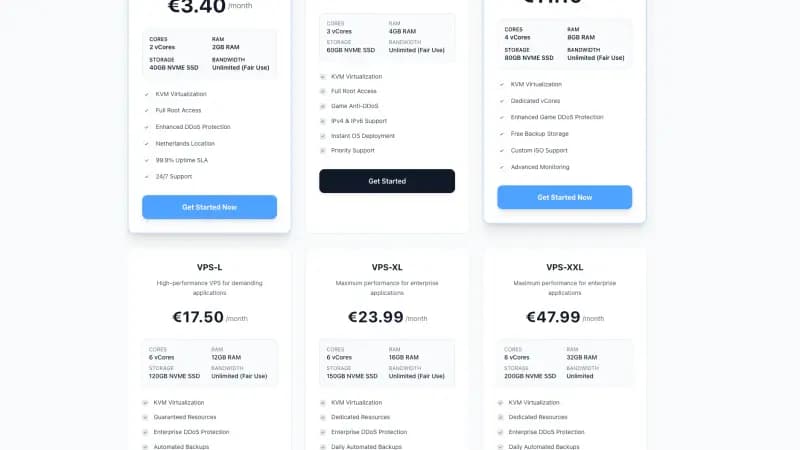
On Space-Node, two Standard VPS-S plans add up to 6 vCores, 8 GB RAM and 120 GB NVMe, and one VPS-M has 4 vCores, 8 GB and 80 GB, but on two servers, spare memory on one can't help the other. Compare both on the VPS plans page; you can move to a bigger plan from the client area later.
Give an app its own server when:
- It wants the whole server. Coolify: "It's best to use a fresh server for Coolify to avoid any conflicts with existing applications." Dokploy's installer "will fail" if port 80, 443 or 3000 is in use, and mailcow needs 80 and 443 plus the mail ports.
- It needs as much as the rest together, like Immich above.
- Someone else needs root. Anyone with root, sudo or the docker group can read every app's files.
- It needs its own maintenance window, or it is the staging copy of another app.
Step 3: Keep the Apps Apart on One Server
You can mix two ways: a Compose project per app, or an account and systemd service per app.
Docker: One Compose Project per App
Give every app a folder under /srv/apps; hier(7) describes /srv as "site-specific data that is served by this system". Compose names the project after its folder and creates a network called <project-name>_default for it, so each app's containers, its database included, get a network of their own. Set limits and bind ports to 127.0.0.1, here for Grafana, whose default port 3000 is also Gitea's:
services:
  grafana:
    image: grafana/grafana
    restart: unless-stopped
    mem_limit: 1g
    cpus: 1.0
    ports:
      - "127.0.0.1:3002:3000"
    volumes:
      - grafana-storage:/var/lib/grafana

volumes:
  grafana-storage:
mem_limitlimits the container's memory andcpusits CPU: with--cpus="1.5", Docker says "the container is guaranteed at most one and a half of the CPUs". Without limits, "a container has no resource constraints". Set the memory limit above the measured peak; Grafana recommends at least 512 MB.127.0.0.1:3002:3000publishes container port 3000 as host port 3002, on the loopback address only. Without a host IP, Docker binds to all interfaces, "bypassing host firewall rules", as our Docker and UFW guide explains.
Start it with sudo docker compose up -d in that folder. Docker separates the apps, not the admins: "The docker group grants root-level privileges to the user", so only people you would give root belong in it.
Separate Users: One Account and Service per App
For packages and single binaries, an account per app does the separating; Gitea's docs say it "should be run with a dedicated non-root system account". systemd then limits each service:
sudo systemctl set-property gitea.service MemoryHigh=1G MemoryMax=1500M CPUWeight=50
MemoryHigh is systemd's "main mechanism to control memory usage": above it, the service is slowed down and memory is taken back. MemoryMax is "the last line of defense": if usage can't stay under it, the OOM killer acts inside that unit only. CPUWeight shares CPU time by weight against the kernel default of 100, so at 50 Gitea gets half the share of a default service when both are busy. The changes "are applied immediately, and stored on disk for future boots".
Use Docker for apps built around it (Immich "requires Docker with the Docker Compose plugin") or apps that need their own runtime versions, and an account per app for the rest.
Step 4: Ports and Domains
One reverse proxy owns ports 80 and 443 and passes each request to its app by domain name, while every app listens on its own port on 127.0.0.1. One IP address is enough: with SNI, the browser names the site during the TLS handshake, which nginx calls "A more generic solution for running several HTTPS servers on a single IP address". Plan the ports first, because defaults collide:
| App | Default port |
|---|---|
| Gitea | 3000, on all addresses |
| Grafana | 3000 |
| Uptime Kuma | 3001 |
| n8n | 5678 |
| Dokploy | Needs 80, 443 and 3000 free |
| mailcow | 25, 80, 110, 143, 443, 465, 587, 993, 995 and 4190 |
sudo ss -ltnp shows which process holds each listening TCP port.
With Caddy, the routing is a few lines and Caddy gets a certificate for every name by itself. Debian 12 and Ubuntu 24.04 both ship Caddy 2.6.2 (sudo apt install caddy); for production, Caddy's install page recommends its own official packages. In /etc/caddy/Caddyfile:
git.example.com {
    reverse_proxy 127.0.0.1:3000
}

grafana.example.com {
    reverse_proxy 127.0.0.1:3002
}

status.example.com {
    reverse_proxy 127.0.0.1:3001
}
Then run sudo systemctl reload caddy. Certificates need each domain's A/AAAA records pointing at the server and ports 80 and 443 open. Caddy passes the Host header through and sets X-Forwarded-For and X-Forwarded-Proto. For nginx and apps under PM2, see multiple Node.js apps on one VPS.
Two catches. Some installers bring a proxy (Ghost's offers to set up NGINX, Dokploy runs Traefik on 80 and 443): route the other sites through it, or give that app its own server. And apps that build links need their public address: Gitea's ROOT_URL is "useful if the internal and the external URL don't match"; for n8n, see our n8n reverse proxy guide.
Step 5: Back Up Each App So You Can Restore One
Restoring the whole server rolls every app back; when one app breaks, you want only its data back. Per app, note its folder, its Docker volumes, its database dump (PostgreSQL, MariaDB) and its secrets. The /srv line in the include file of our restic guide covers every folder under /srv/apps. Named volumes such as grafana-storage are managed by Docker outside that folder, so archive them to /var/backups first, as our Docker volumes guide shows. To restore one app next to the original:
sudo -i
set -a; . /etc/restic/env; set +a
restic snapshots
restic restore latest --target /tmp/restore --include /srv/apps/gitea
restic puts the files in /tmp/restore/srv/apps/gitea. Stop that app, swap in the restored folder and start it again; the other apps keep running. On a Space-Node VPS, backups are not included in the plan price, so run your own like this or arrange them through a support ticket.
Step 6: Watch Each App, and the Server From Outside
On the server, systemd-cgtop lists control groups "ordered by their CPU, memory, or disk I/O load":
sudo systemd-cgtop -m
-m sorts by memory and -c by CPU, which runs up to 100% per vCore. Debian 12 and Ubuntu 24.04 use cgroup v2, so Docker's systemd cgroup driver puts each container in system.slice as docker-<id>.scope; sudo docker stats --no-stream shows them by name, as in the RAM guide.
A monitor on the same VPS goes down with it. Give every domain its own HTTP check from another machine, for example with Uptime Kuma, so an alert names the app that failed. For trends, the sar history in our upgrade guide shows when the whole server gets tight.
Which One Fits
- One VPS when the apps are yours, the documented RAM fits under three quarters of a plan and one maintenance window suits them all.
- A separate VPS for one app when it wants the whole server (Coolify, Dokploy, mailcow) or needs as much as the rest (Immich).
- A VPS per owner when clients or other people need root.
- Split later if you're unsure: an app with its own folder, port and domain moves with a copy and a DNS change, as in moving a website to a new VPS.
FAQ
How many applications can one VPS run? There's no fixed number; RAM usually decides first. Add the documented figures and your measured peaks, count the system once and stay under about three quarters of the plan's RAM. Platforms count too: Coolify asks for 2 cores and 2 GB for itself.
Is Docker safer than separate Linux users? It separates more: processes in one container "cannot see, and even less affect" those in another, and each project gets its own network. But containers share the host's kernel and the docker group is root-level. For an app or owner you don't trust, use a separate VPS.
Do I need a separate IP address for every domain? No. With SNI, one address serves many HTTPS sites through one reverse proxy. Only services that need the same port, such as two mail servers on port 25, need another address or server.
Can several apps share one database server? Yes, with a database and a user per app: one cache to size and one service to dump. But restarting or upgrading it stops every app that uses it. Apps whose Compose setup runs its own database, such as Immich, keep theirs.
Sources
All opened on 31 October 2026:
- App requirements: Ubuntu Server system requirements, Ghost on Ubuntu, Gitea docs, Grafana installation, Nextcloud system requirements, n8n memory issues, Immich requirements and Docker Compose install, Coolify installation, Dokploy installation, mailcow system prerequisites
- Ports and links: Gitea config cheat sheet, Grafana configuration, Grafana in Docker, n8n deployment variables, Uptime Kuma README
- Docker: What is a container?, Linux post-installation steps, Docker Engine security, Resource constraints, Volumes, Compose networking, Compose services, Compose byte values, dockerd cgroup driver
- systemd and Linux: systemd.resource-control, systemctl, systemd-cgtop, systemd build rules for Debian 12 and Ubuntu 24.04, Control Group v2, Ubuntu automatic updates, hier(7), ss(8), Bash set builtin
- Reverse proxy: nginx: configuring HTTPS servers, Caddy install, Caddyfile concepts, reverse_proxy, automatic HTTPS and running Caddy, caddy packages for Ubuntu 24.04 and Debian 12, package versions
- restic: Restoring from backup, Working with repositories, restic-restore man page for 0.14.0