
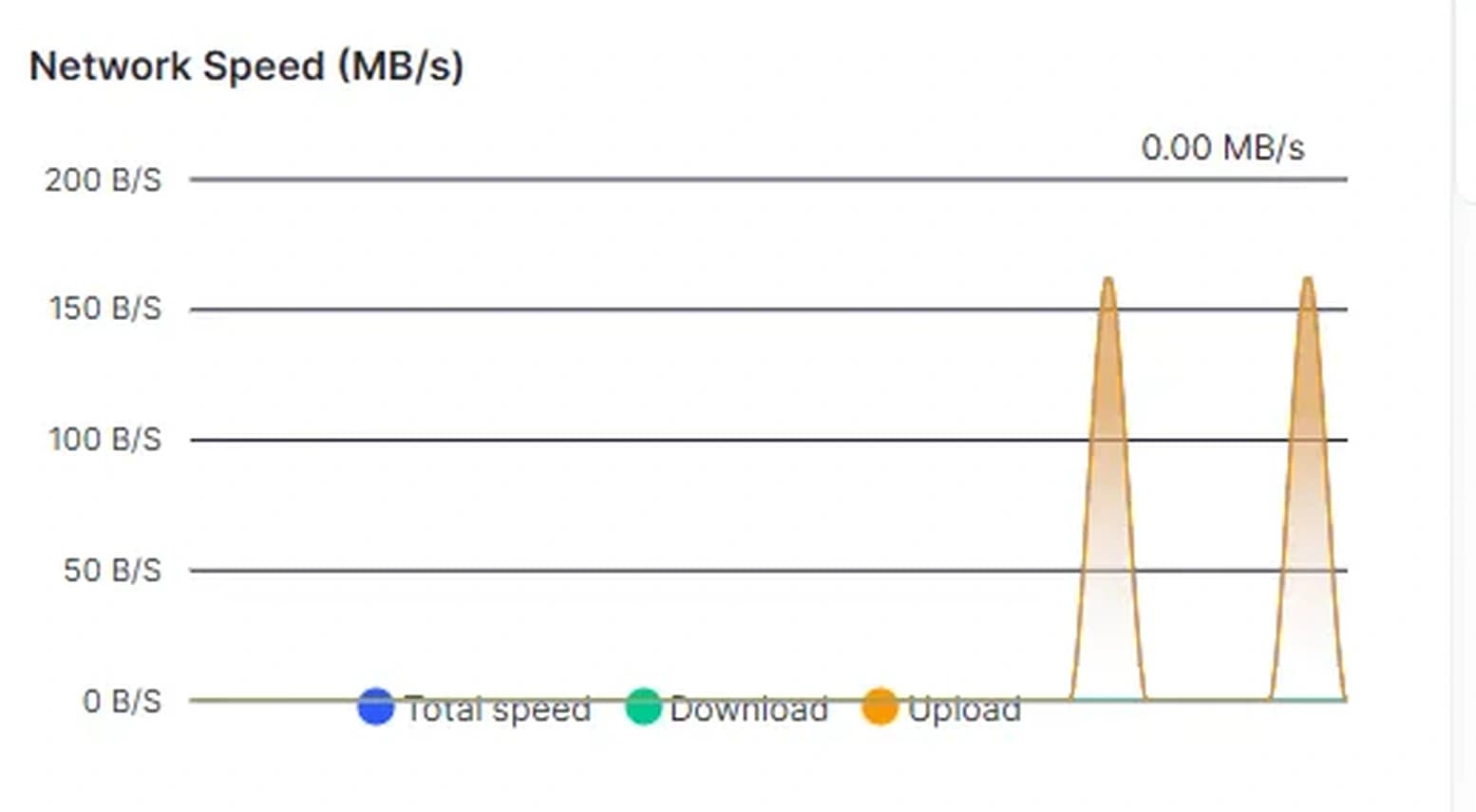
A VPS plan gives you two network numbers, a port speed such as 1 Gbps and a monthly transfer allowance such as 10 TB, and you have to work out whether your website, API, game server or stream fits inside them. Or the bandwidth bar in your panel climbs faster than you expected and you want to know what is using it. You don't have to guess: here is the math for each workload, then the commands to measure it on Ubuntu 24.04 (vnStat 2.12) and Debian 12 (vnStat 2.10).
Quick answer: Monthly transfer is the bytes per unit of work times the units per month. A website sends page weight times page views, an API sends request and response size times requests, a game server sends its per-player rate times player hours, and a stream sends its bitrate times seconds times the number of platforms. One Mbit/s sent for 30 days is 0.324 TB, so a 6 Mbit/s stream alone uses about 1.9 TB, while 100,000 views of a 1.8 MB page use 180 GB. The port speed only caps the rate: a 1 Gbps port moves at most 125 MB a second. Measure your real traffic with vnStat for a week and compare its tx (sent) figure, or rx plus tx if your host counts both directions, with your allowance.
Transfer and Port Speed Are Different Numbers
Port speed is a rate: the most bits per second the network connection carries. A byte is 8 bits, so a 1 Gbps port moves at most 125 MB a second. Transfer is a volume: the bytes that cross the port during the billing month. A 30-day month has 2,592,000 seconds, and that links the two:
- A 1 Gbps port running flat out for 30 days would move 324 TB.
- At full speed, the same port uses up a 10 TB allowance in about 22 hours.
- 1 Mbit/s sent around the clock adds up to 0.324 TB a month (0.335 TB in a 31-day month).
That last factor turns any average rate into a monthly total, and back. The port speed decides how fast you serve a burst, such as one large download or a crowd arriving at once. The allowance decides how much you serve over the month, and for most applications it is the number to plan for. Our guide to testing VPS network speed covers the rate itself.
Two traps sit in the units. Rates come in bits and volumes in bytes, so 8 Mbit/s is 1 MB a second. And as the vnstat.conf manual puts it, binary prefixes (KiB, GiB, TiB) are powers of 1024 and decimal ones (kB, GB, TB) powers of 1000, so 10 TB is only 9.09 TiB. Hosts also differ in which direction they count, as the examples near the end show.
A Website: Page Weight Times Page Views
Page weight is everything a browser downloads to show one page. The HTTP Archive's 2025 Web Almanac measured it for millions of sites in July 2025, every page loaded with an empty cache: the median mobile home page weighed 2.6 MB and the median mobile inner page 1.8 MB, with desktop pages a little heavier.
Your own pages matter more than the median. In Chrome, open DevTools, go to the Network panel, tick Disable cache (it emulates a first-time visitor) and reload. The status bar at the bottom lists the size transferred over the network next to the uncompressed size of the resources; use the transferred one. Then multiply:
100,000 page views × 1.8 MB = 180,000 MB = 180 GB a month
Returning visitors download less because browsers cache static files, so a first-visit weight errs on the high side. Three things push the total up:
- Bots. Take page views from your access log, not your analytics. Google Analytics automatically excludes known bots and spiders, and Thales says in its 2026 Bad Bot Report that bots now account for the majority of web traffic. Every crawler request still costs transfer.
- Downloads. A 500 MB file downloaded 4,000 times is 2 TB, eleven times the page views above.
- Video. 1,000 hours of video watched at 5 Mbit/s is 2.25 TB.
A CDN takes cached files off your server, but check its limits: Cloudflare's default cache works by file extension, skips HTML and JSON, and on the Free, Pro and Business plans caches no file above 512 MB, so big downloads still come from your VPS. On Debian and Ubuntu, nginx compresses only HTML until you uncomment the gzip_types line; our VPS upgrade guide shows that fix.
An API: Bytes per Request Times Requests
For an API, measure one typical call with curl's write-out variables:
curl -s --compressed -o /dev/null \
  -w 'request %{size_request}, upload %{size_upload}, headers %{size_header}, body %{size_download} bytes\n' \
  https://api.example.com/v1/items
From the server's side, the response headers (size_header) and body (size_download) are outgoing traffic, and the request (size_request) and any uploaded body (size_upload) are incoming. With --compressed, size_download is the compressed size that crossed the network. Run it with and without that flag to see what compression saves: curl's own 466,181-byte manual page arrived as 81,069 bytes with Brotli when we tried it on 31 October 2026, 83% less.
Say a response comes to 3 KB (3,000 bytes) with its headers and the API serves 2 requests a second on average:
3,000 bytes × 2 per second × 2,592,000 seconds = 15.6 GB a month
Even 50 requests a second at that size is 389 GB. Small JSON rarely threatens an allowance; file uploads and downloads through the API do, and uploads arrive as incoming traffic. These figures leave out TCP and TLS overhead, which the measurement further down includes.
A Game Server: Measured Rate Times Player Hours
There is no per-player figure you can safely copy. Traffic per player changes with the game, the view distance, mods and how much players move; our Minecraft bandwidth guide explains what raises it. Measure your own server during a busy session instead. With vnStat installed (see below), run this while you note how many players are online:
vnstat -tr 60
It prints the average rx (received) and tx (sent) rate over 60 seconds. Divide tx by the number of players for a per-player rate, then multiply by player hours. With example numbers, not a measurement of any particular game: 3 Mbit/s with 15 players online is 0.2 Mbit/s each, and 10 players for 8 hours a day gives
10 × 0.2 Mbit/s × 28,800 seconds × 30 days / 8 = 216,000 MB = 216 GB a month
A Stream: Bitrate Times Hours Times Platforms
A stream is the easiest case, because you choose the bitrate. YouTube's encoder settings list, for 1080p at 60 fps, a minimum of 6 Mbps and a recommended 17 Mbps with H.264 (4 and 12 Mbps with AV1 or H.265), plus 128 Kbps for stereo audio. Sent around the clock for 30 days:
| Video plus 128 Kbps audio | Per 30 days |
|---|---|
| 6 Mbit/s to one platform | 1.99 TB |
| 6 Mbit/s to two platforms | 3.97 TB |
| 17 Mbit/s to one platform | 5.55 TB |
Each platform you send to directly adds a full copy. If your PC sends the stream to the VPS and the VPS restreams it, the incoming copy counts too wherever your host counts both directions. Our stream bandwidth breakdown has figures for other resolutions.
Measure the Real Number With vnStat
vnStat is no packet sniffer: it reads the kernel's interface counters, so it uses very little CPU or memory, and those counters count the length of each Ethernet frame, protocol headers included. Install it:
sudo apt update
sudo apt install vnstat
sudo systemctl enable --now vnstat
On its first start the daemon adds the interfaces it finds, loopback excluded, and saves data every 5 minutes, so the first numbers appear after a few minutes. Then:
vnstat -5   # 5-minute totals, kept for 48 hours
vnstat -h   # hourly totals, kept for 4 days
vnstat -d   # daily totals, kept for 62 days
vnstat -m   # monthly totals with an estimate for the current month
If vnStat lists several interfaces, add -i and the one with your public address (ip -br address shows it). Traffic from containers or a VPN also crosses interfaces such as docker0 or wg0, so adding interfaces together counts it twice. Our VPS upgrade guide shows vnstat --alert, which warns when the month's estimate passes a limit.
Two settings in /etc/vnstat.conf make vnStat match your bill. MonthRotate is the day the month changes, 1 by default; set it to the day your billing period starts (1 to 28). UnitMode 0, the default, shows KiB, GiB and TiB, and 2 switches to kB, GB and TB. Rates already show in decimal bits, such as Mbit/s. To start the month on the 15th and use decimal units:
sudo sed -i 's/^;MonthRotate 1$/MonthRotate 15/; s/^;UnitMode 0$/UnitMode 2/' /etc/vnstat.conf
sudo systemctl restart vnstat
vnstat --showconfig | grep -E '^(MonthRotate|UnitMode) '
The last command should print UnitMode 2 and MonthRotate 15. Changing MonthRotate doesn't recalculate data already stored.
Find Which Application Uses It
vnStat counts the whole server. To split the total up:
Per process. nethogs groups traffic by program. -C adds UDP to TCP: without it, version 0.8.7 on both systems ignores UDP, so a game server that uses UDP would not show up. -v 3 shows totals in MB and -s sorts by sent. Leave it open through a busy hour, then press q:
sudo apt install nethogs
sudo nethogs -C -v 3 -s
Per container. docker stats shows NET I/O, the data each container has received and sent over its network interface:
sudo docker stats --no-stream --format "table {{.Name}}\t{{.NetIO}}"
Per website. Log the bytes in both directions. In nginx, $request_length is the whole request and $bytes_sent everything sent back, headers included, while the default combined format logs only the response body. The Ubuntu 24.04 and Debian 12 packages include /etc/nginx/conf.d/*.conf inside the http block:
sudo tee /etc/nginx/conf.d/traffic-log.conf > /dev/null <<'EOF'
log_format traffic '$time_iso8601 $host $request_length $bytes_sent';
access_log /var/log/nginx/traffic.log traffic;
EOF
sudo nginx -t && sudo systemctl reload nginx
nginx writes to every access log defined on one level, so your normal log keeps working. A server block with its own access_log line overrides the inherited ones, so add the traffic line there too. After a day or more, total it per day and site. zcat -f also reads the rotated copies, which both packages rotate daily, compress and keep for 14 days:
sudo zcat -f /var/log/nginx/traffic.log* | awk '{split($1, t, "T"); k = t[1] " " $2; i[k] += $3; o[k] += $4}
  END {for (k in o) printf "%s  in %.1f MB  out %.1f MB\n", k, i[k]/1e6, o[k]/1e6}' | sort
Add It Up: Which Allowance Fits
Here are the examples above on one VPS, plus a nightly off-site backup:
| Workload | Assumption | Per 30 days |
|---|---|---|
| Website | 100,000 page views at 1.8 MB | 180 GB |
| API | 2 requests a second at 3 KB | 16 GB |
| Game server | 10 players, 8 hours a day, 0.2 Mbit/s each | 216 GB |
| Stream | 6 Mbit/s plus audio, around the clock | 1,985 GB |
| Backup | 2 GB a night to another server | 60 GB |
| Total | 2.46 TB, an average of 7.6 Mbit/s |
In this mix the stream is 81% of the total: video and large files decide the allowance, while pages and API calls barely register. Compare your own total with the allowances:
| Monthly allowance | Same as an average of | 6 Mbit/s streams around the clock | First visits to a 1.8 MB page |
|---|---|---|---|
| 5 TB | 15.4 Mbit/s | 2 | 2.8 million |
| 10 TB | 30.9 Mbit/s | 5 | 5.6 million |
| 15 TB | 46.3 Mbit/s | 7 | 8.3 million |
| 20 TB | 61.7 Mbit/s | 10 | 11.1 million |
| 30 TB | 92.6 Mbit/s | 15 | 16.7 million |
Leave room for a launch, an event or a clip that spreads. Space-Node's VPS plans include 5 TB to 30 TB of transfer a month depending on the plan, on a 1 Gbps port.
What Happens Near the Monthly Limit
That depends on your host's terms. Two documented examples, checked 31 October 2026:
- Billed: Hetzner Cloud bills only outgoing traffic, charges for traffic beyond the included amount in blocks of 100 MB, and sends notices at 75% and 100% that, in its words, "do not cap or stop" the traffic.
- Slowed down: Hostinger cuts a VPS that reaches its monthly bandwidth limit to 10 Mbps for the rest of the month; sites stay online and the limit resets when the next month begins.
At 10 Mbit/s a 1.8 MB page takes 1.4 seconds to send to a single visitor, and a 17 Mbit/s stream no longer fits. If your plan only says fair use, ask what happens before you get close. Our VPS price checklist shows how DigitalOcean bills extra transfer.
When vnStat's estimate heads past your allowance:
- Find the source with the tools above. Look for a backup job, a crawler or one popular download.
- Cut what you can: compression, a CDN for files under its size limit, a lower stream bitrate, or large downloads hosted elsewhere.
- Move to a plan with a larger allowance. On Space-Node you upgrade to a bigger plan from the client area.
FAQ
Does incoming traffic count toward a transfer allowance? That depends on the host. Hetzner Cloud bills only outgoing traffic, while other hosts may count both directions, so ask yours. vnStat shows rx (received) and tx (sent) separately, which lets you compare whichever one your host counts.
How do I turn Mbit/s into TB per month? Multiply the average rate in Mbit/s by 0.324 for a 30-day month. 20 Mbit/s around the clock is 6.5 TB, and a 10 TB allowance is used up by an average of 30.9 Mbit/s.
Why does vnStat show a different total from my provider's panel?
Check four things: the units (vnStat uses binary units such as GiB and TiB until you set UnitMode 2), the day the month starts (MonthRotate), which directions your provider counts, and when vnStat started, because it has no data from before its first start.
Does traffic to my backup server count? If it leaves through the public interface, vnStat counts it, and whether your host bills it depends on its terms. Hetzner, for example, treats traffic between its cloud servers in the same network zone as free internal traffic, while traffic to its cloud servers in other zones counts as outgoing.
How long should I measure before I choose a plan? At least a full week, so both weekdays and a weekend are in it, and longer if you run events or sales. vnStat keeps daily totals for 62 days by default. Multiplying your busiest week by 4.3 gives a safer monthly figure than your average day times 30.
Sources
All opened on 31 October 2026:
- vnStat: vnstat(1), vnstat.conf(5) and vnstatd(8) for Ubuntu 24.04, vnstat(1) and vnstat.conf(5) for Debian 12, default configuration for 2.10 and 2.12, traffic.c, cfgoutput.c, Ubuntu package patches, Debian 12 package
- Linux kernel: interface statistics; iproute2: ip(8)
- nethogs: nethogs(8), decpcap.c in 0.8.7, Debian 12 package
- Docker: docker container stats
- nginx: log module, core module variables, gzip module, NGINX admin guide: logging, nginx.conf in Ubuntu 24.04 and Debian 12, logrotate rules in Ubuntu 24.04 and Debian 12
- curl man page, gzip(1)
- HTTP Archive: Web Almanac 2025, Page Weight and Methodology
- Chrome for Developers: Network features reference
- Google Analytics: Known bot-traffic exclusion; Thales: 2026 Bad Bot Report
- Cloudflare: Default cache behavior
- YouTube Help: Choose live encoder settings, bitrates, and resolutions
- Hosting terms: Hetzner Cloud billing FAQ, Hostinger: what happens if your VPS bandwidth limits are exceeded