
You moved n8n to a new VPS, your workflows and credentials are all listed, and the first run fails with "Credentials could not be decrypted". Or you want to avoid that. n8n encrypts saved credentials with a key that isn't stored in the database, so a database copy alone is not a working backup. This guide moves a Docker install with its key, database and settings, tests it before DNS points at it, and fixes the error.
Quick answer: n8n is three things: the database (database.sqlite in the .n8n folder, or PostgreSQL), the encryption key (the config file in that folder, or N8N_ENCRYPTION_KEY) and your environment variables. Move all three and run the same n8n version on the new VPS: stop n8n, archive the .n8n volume, dump PostgreSQL if you use it, restore both, test through an SSH tunnel, then switch DNS. "Credentials could not be decrypted" means the new instance has a different key from the one that encrypted your credentials, so put the old key back. The CLI export is only a second copy: it leaves out users, executions, variables and the key.
What Has to Move
n8n's backup and restore page defines a complete backup as the .n8n user folder plus your external database, if you use one. In the Docker image that folder is /home/node/.n8n.
| What | Where it lives |
|---|---|
| Encryption key | The config file in .n8n, or N8N_ENCRYPTION_KEY if you set one |
| SQLite database (the default) | .n8n/database.sqlite |
| PostgreSQL database | Your Postgres container or server, when DB_TYPE=postgresdb |
| Community and custom nodes | .n8n/nodes, plus any folders set in N8N_CUSTOM_EXTENSIONS |
| Binary data in filesystem mode | .n8n, unless you set N8N_BINARY_DATA_STORAGE_PATH |
| Settings | Your compose file and .env: database variables, N8N_HOST, N8N_PROTOCOL, N8N_WEBHOOK_URL, GENERIC_TIMEZONE |
n8n generates the key on first launch and saves it in .n8n, so even with PostgreSQL that folder holds the key. WEBHOOK_URL still works but has been deprecated since n8n 2.35.0 in favour of N8N_WEBHOOK_URL (endpoint variables); copy whichever you have. Binary data kept in S3 or Azure Blob Storage needs its own backup.
Step 1: Write Down What You Have
Run these on the old VPS. Docker commands here need root: use sudo as shown, or log in as root and leave it out. They work the same on Ubuntu 24.04 and Debian 12.
sudo docker ps -a                    # find your n8n container's name
C=n8n                                # replace with that name
sudo docker exec -u node -it "$C" n8n --version
sudo docker inspect --format='{{json .Mounts}}' "$C"
sudo docker inspect --format='{{json .Config.Env}}' "$C" | grep -o 'DB_TYPE=[a-z]*'
Write down the version. In the Mounts output, the entry whose Destination is /home/node/.n8n gives the volume to copy as Name; if its Type is bind, use the Source path instead. The last line prints only the database type, not secrets: nothing means SQLite, the default, and DB_TYPE=postgresdb means PostgreSQL.
Then save the key off the server, for example in your password manager. If your compose file or .env sets N8N_ENCRYPTION_KEY, that's the key. If not, it's the encryptionKey value in this file:
sudo docker exec "$C" cat /home/node/.n8n/config
Step 2: Prepare the New VPS
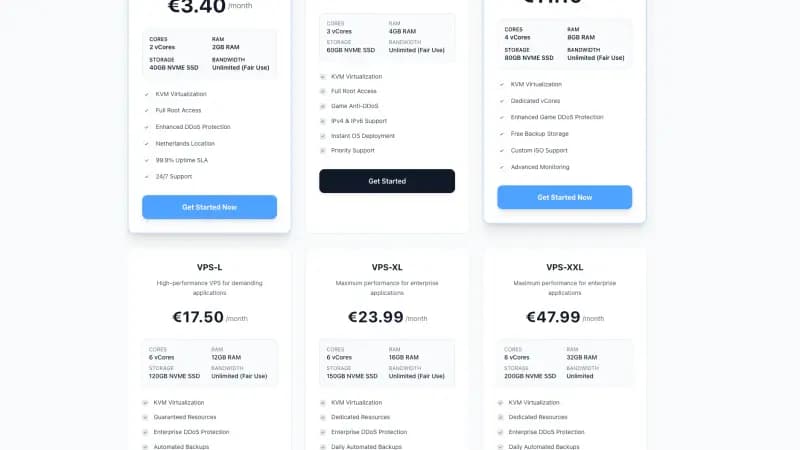
Install Docker Engine with the Compose plugin using Docker's instructions for Ubuntu or Debian. Still choosing the server? Our n8n requirements guide covers sizing, and a Space-Node VPS for n8n and AI agents is KVM with full root access, so every command here works.
Use a folder with the same name as on the old server. By default, Compose takes the project name from the folder name (project name docs) and puts it in front of each volume name (volumes reference): the volume n8n_data in a folder called n8n becomes n8n_n8n_data. A different folder name gives you a new, empty volume.
Pin the exact version you wrote down: in the compose file you copy over in Step 3, replace latest or a missing tag on the n8n image with it, as n8n's Postgres example does with image: docker.n8n.io/n8nio/n8n:${N8N_VERSION}. Keep the same Postgres tag too; if it is latest or missing, pin the major version that sudo docker compose exec postgres postgres --version shows on the old server. Don't start anything yet.
Why the same version? Move and upgrade in one go, and you can't tell which step broke something. If encryption key rotation is on (opt-in on n8n 2.x, default from 3.0), its docs warn that older versions can't read data written in the new format, so never restore onto an older n8n.
If your DNS record has a long TTL, lower it now: resolvers cache the old address for that long (Cloudflare on TTL).
Step 3: Stop the Old n8n and Take the Final Copy
Stop n8n before you copy. With SQLite, n8n's docs warn that "copying the database file while n8n is writing to it can produce an inconsistent backup." Never run both servers with the same workflows active, or every schedule fires twice.
SQLite:
cd ~/n8n                             # the folder with your compose file
sudo docker compose stop
V=n8n_n8n_data                       # the volume Name from Step 1
sudo docker run --rm -v "$V":/home/node/.n8n -v "$PWD":/backup ubuntu \
  tar cvf /backup/n8n-data.tar -C /home/node/.n8n .
This follows Docker's volume backup method: a throwaway Ubuntu container tars the volume into your current folder.
PostgreSQL: following the README of n8n's Postgres example, stop n8n, keep Postgres running, then dump and check:
cd ~/n8n
set -a && . ./.env && set +a
sudo docker compose stop n8n         # and any worker services
sudo docker compose exec -T postgres pg_dumpall -U "$POSTGRES_USER" > n8n-backup.sql
grep -c "PostgreSQL database cluster dump complete" n8n-backup.sql
sudo docker compose stop
The grep must print 1. Then run the V= and docker run ... tar cvf lines from the SQLite block, because the volume still holds the key. postgres and n8n are the service names in n8n's example; use yours.
Copy the folder (compose file, .env, tar file and any dump) to the new VPS:
scp -r ~/n8n user@NEW_VPS_IP:~/
The tar file holds your encryption key: treat it like a password. Using docker run instead of Compose? Stop it with sudo docker stop "$C", and start it on the new VPS with the same command and version tag.
Step 4: Restore on the New VPS
cd ~/n8n
V=n8n_n8n_data                       # the same name as on the old VPS
sudo docker run --rm -v "$V":/home/node/.n8n -v "$PWD":/backup ubuntu \
  tar xvf /backup/n8n-data.tar -C /home/node/.n8n
Docker creates the volume if it doesn't exist, and tar running as root keeps the original owners and permissions (tar man page). From here on, Compose may warn that the volume "already exists but was not created by Docker Compose". That's expected: Compose reuses a volume with the matching name as it is.
For PostgreSQL, start only the database and load the dump (if n8n started first, its own new tables would collide with the import):
set -a && . ./.env && set +a
sudo docker compose up --wait postgres
sudo docker compose exec -T postgres psql -U "$POSTGRES_USER" -d "$POSTGRES_DB" < n8n-backup.sql
Errors like role "..." already exists and database "..." already exists are expected: n8n's README says the container creates both on first start, and the pg_dumpall docs say such a script "should not be expected to run completely without errors".
With either database, start everything: sudo docker compose up -d.
Step 5: Test Before You Switch DNS
On the new VPS:
sudo docker compose logs n8n | grep -i "encryption key"
curl -i http://127.0.0.1:5678/healthz/readiness
If the first shows No encryption key found or Mismatching encryption keys, n8n is not using your old key; see the fix below. The second should return status 200, which per n8n's monitoring docs means the database is "connected and migrated". This and the tunnel assume port 5678 is published on the host, as in n8n's examples.
Then open the editor through an SSH tunnel from your computer:
ssh -N -L 5678:127.0.0.1:5678 user@NEW_VPS_IP
Browse to http://localhost:5678 in Chrome or Firefox. Browsers accept n8n's secure login cookie on localhost (MDN), but Safari doesn't yet (WebKit bug 232088). Log in as usual. A signup screen for a new owner account means n8n started with an empty database: check the volume name and database variables. Open a few workflows and run one read-only node that uses a saved credential.
If your compose file publishes the editor as 5678:5678, Docker opens that port on every interface, past UFW. Publish it as 127.0.0.1:5678:5678 behind your reverse proxy instead; our guide to Docker and UFW explains why.
Can't fix it quickly? Run sudo docker compose stop on the new VPS, then sudo docker compose start on the old one, which brings it back as you left it.
Step 6: Switch DNS, Then Upgrade
Point your domain's A record (and AAAA, if any) at the new IP. Set up HTTPS as you had it (our Nginx reverse proxy guide covers Let's Encrypt), then send a test request to one production webhook. Keep the old VPS stopped but intact for a week, for a rollback.
n8n recommends a full backup before updating, and its update guide says to check the release notes for breaking changes. Raise N8N_VERSION (or the image tag), then run sudo docker compose pull, sudo docker compose down and sudo docker compose up -d, as on n8n's Docker page. Never add -v to down: it removes named volumes (docker compose down), and n8n's README warns you'd "restore the database fine and every saved credential would be unreadable."
The CLI Export Is a Second Copy, Not a Full Backup
n8n's command line exports workflows and credentials as JSON. In Docker, run it as the node user and copy the files out, since folders inside a container are lost when it is recreated:
sudo docker exec -u node -it "$C" n8n export:workflow --backup --output=/home/node/backups/workflows/
sudo docker exec -u node -it "$C" n8n export:credentials --backup --output=/home/node/backups/credentials/
sudo docker cp "$C":/home/node/backups ./n8n-cli-backup
--backup is short for --all --pretty --separate, one file per item. Credentials stay encrypted, so importing them needs the same key. n8n lists what this leaves out: users and their roles, execution history and logs, variables, and instance settings, including the encryption key.
To move credentials to an instance with a different key, export them decrypted, after the two exports above (they create the backups folder):
sudo docker exec -u node -it "$C" n8n export:credentials --all --decrypted --output=/home/node/backups/decrypted.json
sudo docker cp "$C":/home/node/backups/decrypted.json ./n8n-cli-backup/
That file holds every API key, password and token you saved, in plain text. n8n says to store it as carefully as the credentials themselves and delete it once the restore is done.
On the new instance, create the owner account first, copy the files in with sudo docker cp ./n8n-cli-backup "$C":/home/node/backups, and import:
sudo docker exec -u node -it "$C" n8n import:workflow --separate --input=/home/node/backups/workflows/
sudo docker exec -u node -it "$C" n8n import:credentials --separate --input=/home/node/backups/credentials/
For the decrypted file, use --input=/home/node/backups/decrypted.json without --separate. Imports keep the exported IDs and overwrite anything with the same ID. Imported workflows arrive deactivated (--activeState defaults to false), so publish them again. Keep the two in separate folders: import:credentials --separate currently fails when the folder also holds workflow files.
"Credentials Could Not Be Decrypted": Cause and Fix
The full message in n8n's source is Credentials could not be decrypted. The likely reason is that a different "encryptionKey" was used to encrypt the data. In a move, that happens three ways:
- The
.n8nvolume wasn't restored, or Compose created a new one under another name. n8n found no key, made a new one and loggedNo encryption key foundwith the path of its newconfigfile. - You moved only the database, the old server set the key in
N8N_ENCRYPTION_KEY, and the new setup lacks it. - In queue mode, a worker has another key; every worker needs the same one (see our n8n automation guide).
The fix is to give n8n the old key while it is stopped (sudo docker compose stop), then start it with sudo docker compose up -d. If you have the archive, repeat only the V= and tar xvf lines of Step 4, with the volume n8n really uses (the Step 1 Mounts command shows it): tar replaces the generated config with your original. If you only have the key itself, set it as N8N_ENCRYPTION_KEY in the n8n service's environment and remove the generated file, or n8n refuses to start:
V=n8n_n8n_data                       # the volume n8n uses, see Step 1
sudo docker run --rm -v "$V":/home/node/.n8n ubuntu rm /home/node/.n8n/config
sudo docker compose up -d
That refusal is the second error: when the config file and N8N_ENCRYPTION_KEY disagree, n8n stops with "Mismatching encryption keys" and asks you to "make sure both keys match". Credentials you created on the new server meanwhile used the wrong key; add those again.
No old key anywhere, not even on the old server? Then those credentials are lost: per n8n's backup page, restored data "can't be decrypted" without it.
If It Still Fails
n8n won't stay up. Read sudo docker compose logs n8n. Apart from the key errors above, a database connection error points at the DB_POSTGRESDB_ variables or a stopped Postgres container.
Schedules run hours off. GENERIC_TIMEZONE likely didn't come across; its default is America/New_York (timezone variables).
Webhooks point at the wrong address. Compare N8N_HOST, N8N_PROTOCOL and N8N_WEBHOOK_URL (or WEBHOOK_URL) with the old .env.
Permission errors on /home/node/.n8n. A message such as "Could not enforce settings file permissions" means the files changed owner when they were copied, and n8n runs as the node user. Restore again with the tar commands above, which keep the owners.
FAQ
Do I have to stop n8n to back it up? With SQLite, yes, or use a tool that takes a consistent snapshot of the file. With PostgreSQL, pg_dump "makes consistent exports even if the database is being used concurrently", so a nightly dump can run live.
Can I switch from SQLite to PostgreSQL during the move?
Do it as a separate step. n8n documents n8n export:entities --outputDir=./outputs on the old database and n8n import:entities --inputDir ./outputs --truncateTables true on the new one. Execution history stays behind unless you add --includeExecutionHistoryDataTables=true. Both sides need the same encryption key, because n8n encrypts the export with it, and the same migration state, so run the same n8n version on both.
Can I give the new server a new encryption key?
Not with a restored database: a different key either stops n8n with "Mismatching encryption keys" or leaves every credential unreadable. A fresh instance with its own key plus the --decrypted export works, but users, executions and variables stay behind.
Are backups included with a Space-Node VPS? Not in the plan price of our VPS hosting, but you can arrange them through a support ticket. Keep the key in your password manager too: that copy survives losing the server.
Sources
All opened on 29 October 2026:
- n8n docs: Back up and restore, Use the command line, Encryption key, Rotate encryption keys, Deployment variables, Database variables, Endpoint variables, Binary data variables, Timezone variables, Choose n8n's database, Docker installation, Update n8n, Monitor n8n, User management, Community nodes
- n8n source on GitHub: core constants, instance settings, CLI launcher, import service, credentials import, Dockerfile
- n8n-hosting withPostgres example and its README
- Docker Compose source on GitHub: create.go (how Compose treats a volume it did not create)
- Docker docs: Volumes, Compose volumes, Compose project name, docker compose exec, docker compose up, docker compose stop, docker compose down, docker inspect, docker container cp, Install on Ubuntu, Install on Debian
- PostgreSQL 18 docs: SQL dump, postgres, pg_dump, pg_dumpall
- Man pages: tar(1), ssh(1), scp(1), curl
- MDN: Set-Cookie, WebKit bug 232088, Cloudflare: Time to Live