
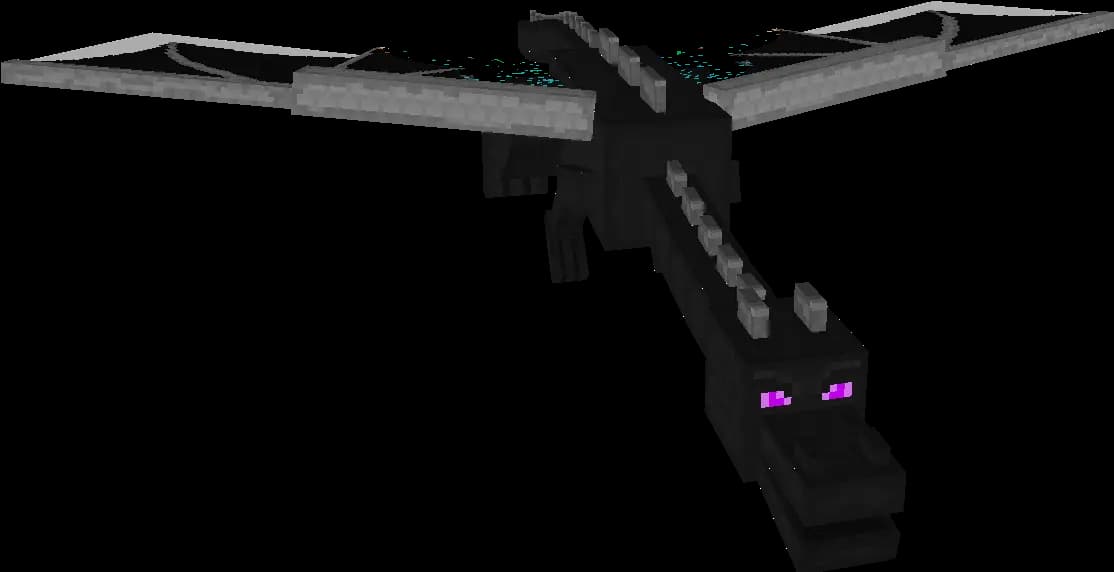
Your players have stripped the Nether of ancient debris, or every End city within reach has been looted, and you want a fresh Nether or End without touching the Overworld. That works: each dimension has its own folder, and a server that finds one missing generates it again at the next start. The catch is the folder name. Most guides still tell you to delete world_nether and world_the_end, but since Minecraft 26.1 neither vanilla nor Paper has those folders. Here is the folder for your version, the backup to make first, and what happens to the dragon, your portals and your players.
Quick answer: To reset the Nether or the End on a Minecraft server, stop the server, make a backup, delete the folder of that one dimension and start the server again. It generates a fresh dimension from the same seed. On 26.1 and newer, vanilla and Paper keep the Nether in world/dimensions/minecraft/the_nether and the End in world/dimensions/minecraft/the_end. On older versions, Paper and Spigot use separate world_nether and world_the_end folders next to world, and vanilla uses world/DIM-1 and world/DIM1. On 26.x the End folder also holds the dragon fight record, so a reset End gets a new dragon and a new dragon egg.
Which folder holds the Nether and the End
world below stands for the level-name in your server.properties, which is world by default (what each setting does).
| Server | Nether | End |
|---|---|---|
| Vanilla, Fabric or Forge, 26.1 and newer | world/dimensions/minecraft/the_nether/ | world/dimensions/minecraft/the_end/ |
| Paper 26.1 and newer | world/dimensions/minecraft/the_nether/ | world/dimensions/minecraft/the_end/ |
| Paper up to 1.21.11 | world_nether/ (region files in world_nether/DIM-1/) | world_the_end/ (region files in world_the_end/DIM1/) |
| Vanilla, Fabric or Forge up to 1.21.11 | world/DIM-1/ | world/DIM1/ |
| Bedrock Dedicated Server | No folder of its own, see below | No folder of its own |
The change came with Minecraft 26.1 on 24 March 2026. The Minecraft Wiki's 26.1 page lists the moves: the Overworld to dimensions/minecraft/overworld, the Nether from DIM-1 to dimensions/minecraft/the_nether and the End from DIM1 to dimensions/minecraft/the_end. Paper adopted the same tree in its 26.1 builds. The PaperMC 26.1 post shows the Nether and the End inside world/dimensions/minecraft/, each with its own data, entities, poi and region folders and its own paper-world.yml, and Paper's world configuration docs (last updated 18 May 2026) give that file's path as world/dimensions/<namespace>/<key>/paper-world.yml.
On 3 November 2026 the wiki and Paper's docs agree, and neither 26.2 nor 26.3 changed the layout again: the only level format change in 26.3 is a version history list in level.dat (level format page). Fabric and Forge use the vanilla folder structure (Paper's migration docs), so the vanilla rows apply to them. Mod dimensions sit next to the vanilla ones, in world/dimensions/<mod namespace>/<name>/.
Spigot and CraftBukkit are the exception. Paper's migration docs say they "modify the Vanilla world directory structure", which makes a direct migration from them "as of 26.1 fundamentally impossible". So don't go by the version number alone. Open the file manager and look: a dimensions folder inside world means the new layout, world_nether and world_the_end next to world mean the Bukkit layout, and DIM-1 and DIM1 inside world mean the old vanilla layout.
Before you reset: back up and get players out
A reset deletes every build, chest, farm and portal in that dimension. Make a full backup first and keep it for a while; it is also where you copy a build back from. On Space-Node Minecraft hosting you make that backup yourself in the Backups tab of the panel, and you can download a copy as well. Our restore guide shows how to bring back a single folder from it.
Then move everyone out of the dimension you reset. Each player's saved data holds the dimension and coordinates of their last position (Minecraft Wiki), so someone who logs out in the old Nether logs back in at the same spot in the new one, where their tunnel, bridge or base no longer exists. While the server still runs, this command sends every player who is in the Nether to the Overworld:
/execute in minecraft:the_nether as @a[distance=0..] in minecraft:overworld run teleport @s 0 80 0
For the End, change the first dimension:
/execute in minecraft:the_end as @a[distance=0..] in minecraft:overworld run teleport @s 0 80 0
Replace 0 80 0 with a safe spot in the Overworld, such as your spawn. The trick is distance=0..: on Java Edition a distance filter only selects entities in the dimension the command runs in (target selectors), so @a here means every player in that one dimension. In the server console, type it without the leading slash. Offline players can't be moved this way, so announce the reset a few days ahead.
Reset the Nether or the End on 26.1 and newer
These steps fit vanilla, Paper, Fabric and Forge on 26.1, 26.2 and 26.3.
- Announce the reset and run the command above.
- Stop the server with
stopor the Stop button in your panel. Paper's docs ask you to stop the server fully before you move world files, and the same goes for deleting them. - Make the backup.
- On Paper, if you changed settings in
world/dimensions/minecraft/the_nether/paper-world.yml(or the one inthe_end), download that file first. - Delete
world/dimensions/minecraft/the_nether/for the Nether orworld/dimensions/minecraft/the_end/for the End. In the Pterodactyl file manager, open the three dots next to the folder and choose Delete; over SFTP, delete the folder with everything in it. Leaveoverworld,level.dat,playersand the top-leveldatafolder alone. - On Paper, check that no old
world_netherorworld_the_endfolder sits in the server root, for example from an old backup you restored. Paper 26.x imports such a folder into the dimensions tree at startup (WorldFolderMigration), and your old Nether would come back. - Start the server. It creates the missing dimension again.
- On Paper, if you saved a
paper-world.yml, stop the server, upload the file into the new dimension folder and start again.
Delete the whole folder, and don't recreate it by hand. If a the_nether folder exists at startup, Paper treats it as an existing world and reads that dimension's world_gen_settings.dat from it (PaperWorldLoader), so an empty folder, or one with only paper-world.yml in it, can stop the startup. That is why step 8 waits until after the first start.
The new dimension keeps the old seed. Vanilla stores the seed once for the whole world, in world/data/minecraft/world_gen_settings.dat outside the dimension folders, and Paper gives a dimension it has to create the server's own generation settings. The terrain and the positions of fortresses, bastions and End cities come back as your current version generates that seed, with untouched chests, ore and ancient debris.
Older versions: world_nether, world_the_end, DIM-1 and DIM1
On Paper up to 1.21.11, and on Spigot or CraftBukkit with the Bukkit layout, stop the server, make the backup and delete the whole world_nether or world_the_end folder, including the level.dat, the DIM-1 or DIM1 folder and the paper-world.yml inside it. The server generates a new one at the next start. Paper 26.x later moves these folders into world/dimensions/ (our guide to that move).
On vanilla, Fabric and Forge up to 1.21.11, delete world/DIM-1 for the Nether or world/DIM1 for the End. One thing does not reset with it: before 26.1 the dragon fight record lives in world/level.dat, not in DIM1. The wiki's level format history describes 26.1 moving it "from level.dat" into the End's data folder. That record includes whether the dragon was ever killed (PreviouslyKilled), and only the first kill drops the egg and the big experience reward. So after a DIM1 reset the server still remembers the old kill. If you want the next dragon to count as the first, remove the DragonFight compound from level.dat with an NBT editor while the server is stopped, with your backup at hand.
What happens to the ender dragon after an End reset
On 26.1 and newer the dragon fight has its own file inside the End folder: world/dimensions/minecraft/the_end/data/minecraft/ender_dragon_fight.dat (Minecraft Wiki, 26.1). It holds whether the dragon is alive, whether it was ever killed, the exit portal location and the gateways. Paper keeps the same file in the same place; its importer copies old dragon data into it for the End only (LegacyCraftBukkitWorldMigration). Delete the End folder and the record goes with it, so the server starts the End as if nobody had been there:
- The dragon spawns one second after the first player or other entity arrives in the End, together with the bedrock frame of the exit portal (Ender Dragon).
- Players land on the obsidian platform as always (The End).
- The first kill drops 12,000 experience, activates the exit portal, places the dragon egg and opens the first End gateway. Later kills give 500 experience and no egg.
- The outer islands generate again with unlooted End cities. End ships are the only place to get elytra (End City), which is often the reason for the reset.
If you only want another dragon fight, you don't need a reset: four End crystals on the edges of the exit portal summon a new dragon, but on Java Edition that dragon drops no egg.
Portals, respawn points and plugins after the reset
- Nether portals: the portals in the Overworld stay. The first time someone goes through one, the game looks for a portal in range in the new Nether, finds none and builds one at or near the matching coordinates (Nether Portal).
- End portals sit in Overworld strongholds, so they keep working.
- Respawn anchors in the Nether are gone. The game removes a player's spawn point when they try to respawn and find no valid bed or anchor there (Player), so those players start at world spawn.
- Plugin data: claims, homes and warps in that dimension still point at their old coordinates. Remove them or tell your players. A map plugin needs a fresh render of that map.
- World UUID on Paper: Paper keeps each dimension's UUID in its
datafolder and makes a new one when that file is missing (PaperWorldLoader). A plugin that saved locations by world UUID instead of by name may treat the new Nether as a different world.
Reset a Multiverse resource Nether in game
Many servers keep the main Nether and add a separate mining world. If you made it with Multiverse, for example with /mv create resource_nether nether, you can reset it without a stop:
/mv regen resource_nether
That regenerates it with the same seed. Add --seed for a random new seed or --seed 12345 for one you choose (Multiverse commands). With players still inside, the command stops with an error unless you add --remove-players, which moves them out and back in after the regen. On Paper 26.x this world sits in world/dimensions/minecraft/resource_nether/.
Bedrock servers: no folder to delete
Bedrock keeps all three dimensions in one LevelDB database in the world's db folder, which on a Bedrock Dedicated Server with the default level-name is worlds/Bedrock level/db/. Each chunk's key carries a number for its dimension, 1 for the Nether and 2 for the End (Bedrock level format), and the wiki's End page notes you can't tell from the file names which files belong to the End. To reset one dimension, download the world, delete that dimension's chunks with a world editor and upload the world again. Amulet, for one, lists deleting chunks "so the world can recreate them" (Amulet); it is a paid download now, so check that it supports your Bedrock version first, and keep the original world.
FAQ
How do I reset the End in Minecraft without resetting the Overworld?
Stop the server, back up, delete only the End's folder and start again: world/dimensions/minecraft/the_end on 26.1 and newer, world_the_end on Paper 1.21.11 and older, world/DIM1 on older vanilla. The Overworld lives in other folders and stays as it is.
Why can't I find world_nether or world_the_end on my server?
Your server runs 26.1 or newer. Vanilla moved the Nether and the End into world/dimensions/minecraft/ in 26.1, Paper followed, and Paper moves old world_nether and world_the_end folders there on the first start after the update.
Does resetting the End bring back the ender dragon and the dragon egg?
On 26.1 and newer, yes: the dragon fight record sits inside the End folder, so the new End gets a new dragon and the first kill drops the egg again. On vanilla 1.21.11 and older the record stays in level.dat, so the server still remembers the old kill.
Will my Nether portals still work after a reset? Yes. The portals in the Overworld stay, and the first trip through each one builds a new portal in the new Nether at or near the matching coordinates.
Can I reset the Nether while the server is running?
Not the server's own Nether: delete its folder only when the server is stopped. A separate Nether world you made with Multiverse can be reset in game with /mv regen.
Does the reset Nether get a new seed?
No. It comes back from the world's seed, with the same terrain and fresh loot. For a different layout, use a separate Multiverse world with --seed.
Sources
All opened on 3 November 2026:
- Minecraft Wiki: Java Edition 26.1, Java Edition 26.3, Java Edition level format, The Nether, The End, Ender Dragon, Dragon Egg, End City, Nether Portal, Player, Target selectors, teleport, server.properties, Bedrock Edition level format
- PaperMC: 26.1 update post (26 April 2026), docs on migrating to or from Paper (updated 4 April 2026) and world configuration (updated 18 May 2026), Paper 26.3 builds (build 238 of 2 November 2026 is the newest)
- Paper source at build 238: PaperWorldLoader, WorldFolderMigration, LegacyCraftBukkitWorldMigration
- Mojang: version manifest (latest release 26.3)
- Multiverse: commands
- Amulet