
You set up a Sons of the Forest dedicated server, the console looks busy, and nobody can find it in the server list. Almost always the cause is one of a handful of things, and the server itself tells you which one if you know where to look.
Work through the checks below in order. The first ones take seconds and catch most cases. The facts about the self-test and NAT loopback come from Endnight's official dedicated server guide.
1. Did the server actually start?
Sons of the Forest runs a self-test on every boot. If any test fails, the server does not start, even though the window or panel console may still be open. Scroll up in the console, or in the log file if you turned on LogFilesEnabled. Endnight lists these failures:
| Message | What to do |
|---|---|
| Server configuration doesn't exist. A default one has been created automatically. | Normal on the very first start. Edit dedicatedserver.cfg if you want, then start again |
| The configuration couldn't be read without error | dedicatedserver.cfg is not valid JSON. Look for a missing or extra comma or a missing quotation mark |
| An error about one of the values | A setting is outside its allowed range. The console names the setting |
| Failed to get public ip from Steam | The machine has no public IPv4 address Steam can see. Endnight asks for a static public IPv4 |
UDP <PortName> <PortNumber> is closed | That port is blocked by a firewall or missing from the port forwarding |
If you see any of these, fix that first. Nothing else on this list matters until the self-test passes.
2. Are all three UDP ports open?
The server needs three ports, all UDP, not TCP:
- 8766 for the game (
GamePort) - 27016 for the Steam query (
QueryPort) - 9700 for BlobSync (
BlobSyncPort)
Where they have to be open depends on where the server runs:
- On a home PC: port forwarding on the router to the PC, plus rules in Windows Firewall.
- On a Linux VPS: the firewall of the VPS. With ufw that is
sudo ufw allow 8766/udp, and the same for 27016 and 9700. - With Docker: the ports must be mapped as UDP in the compose file, for example
8766:8766/udp. A mapping without/udpis TCP and does not help. - In a Pelican or Pterodactyl panel: the server needs three allocations, and the Query Port and BlobSync Port variables in the Startup tab must match the extra two. A query port that points at a port the server was never given is a common reason for a server that runs but does not get listed.
If you changed a port in dedicatedserver.cfg, the firewall and forwarding have to follow.
3. Is LanOnly switched on?
"LanOnly": true hides the server from the internet list on purpose. It then only shows up for players on the same network. For a server your friends join from their own homes, it must be false.
4. Are you looking from the same network as the server?
This one confuses many people who host at home. If your router does not support NAT loopback (also called hairpin NAT), Endnight says that:
- the server may not show up in the dedicated server browser for a player on the same LAN, or on the same PC, as the server
- that player can only join through the LAN browser
So the server can be perfectly visible to your friends while you cannot see it from your own PC. Ask someone outside your network to search for it before you change anything else. On a VPS this problem does not exist, because the server is not on your home network.
For LAN play on Windows, the network profile must be set to Private, and if the PC has several network adapters, Steam may use the wrong one to find LAN games. Endnight suggests turning the other adapters off for a moment to test that.
5. Did you skip the network test?
"SkipNetworkAccessibilityTest": true lets a server start even when the port check fails. Endnight warns that a server that does not pass the test is very likely not reachable anyway, and advises setting it back to false if skipping does not help.
There is one real reason to use it: a home network without NAT loopback, where the server cannot test itself through its own public IP. Then check right away in the dedicated server browser, from outside your network, whether it shows up.
Note that the Pelican egg has this as the Skip network Test variable, with the hint to set it to true if you have trouble connecting. The same warning applies.
6. Are you searching for the right name?
The list shows the ServerName from the config. If you changed it in the file but the panel passes a name as a start argument, the argument wins and the server is listed under the panel's name. Search for part of the name, and check the start command or Startup tab for the name it really uses.
A password does not hide a server. A server with a Password still shows up in the list; players are asked for the password when they join.
7. Do the game and the server run the same version?
After a patch, players update through Steam right away while the server stays on the old build until you update it. Run the update again (SteamCMD app_update 2465200 validate, or restart with auto update on in a panel) and restart the server before you look any further.
8. Is it IPv6 only?
Endnight only officially supports IPv4. A machine that only has an IPv6 address will fail the public IP check. Make sure the server has a public IPv4 address.
Still nothing?
Turn on LogFilesEnabled, start the server with -verboseLogging and read the log from the top. The self-test lines name the exact setting or port that fails. Once you have fixed it, turn verbose logging off again, because it makes the logs much bigger.
For the full setup, see our Sons of the Forest dedicated server guide, and for every option in the config, Sons of the Forest server settings explained.
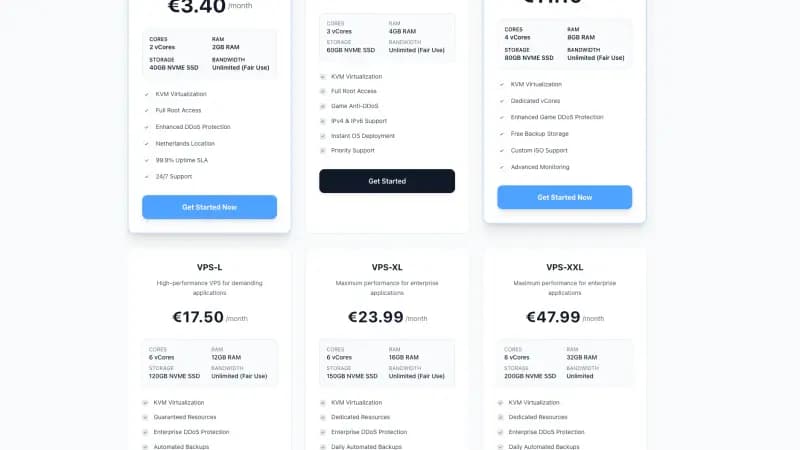
A server on a VPS avoids the home network problems on this list: it has its own public IPv4 address, no router in between and no NAT loopback issue. The Linux setups ask for at least 8 GB of RAM, so start with a plan such as the Standard VPS-M.
FAQ
Why does my Sons of the Forest server not show up in the list?
Most often the self-test failed and the server never started, or one of the three UDP ports (8766, 27016, 9700) is closed. Read the console first: it names the failing test.
My friends can see the server but I cannot. Why?
Your router probably does not support NAT loopback. Endnight says a server may then not show up in the dedicated server browser for players on the same network or PC, who can only join through the LAN browser.
Should I set SkipNetworkAccessibilityTest to true?
Only if your network has no NAT loopback and the server cannot test itself. Endnight warns that a server that fails the test is usually unreachable anyway, so set it back to false if skipping does not help.
Does a password hide my server from the list?
No. A password-protected server is still listed. Players have to enter the password when they join. LanOnly is the setting that hides a server from the internet list.
Which ports does Sons of the Forest need?
Three UDP ports: 8766 for the game, 27016 for the Steam query and 9700 for BlobSync. All three can be changed in dedicatedserver.cfg.