You cannot watch the stream all day. Alerts tell you when to act.

Table of Contents
- What to monitor
- Simple alert rules
- Restart playbooks
- Common causes of outages
- VPS hosting notes
1. What to monitor
Is the stream live? Is the process running?
2. Simple alert rules
Alert if live status drops or process exits.
3. Restart playbooks
Have a quick restart plan ready.
4. Common causes of outages
Network issues, bitrate spikes, memory leaks.
5. VPS hosting notes
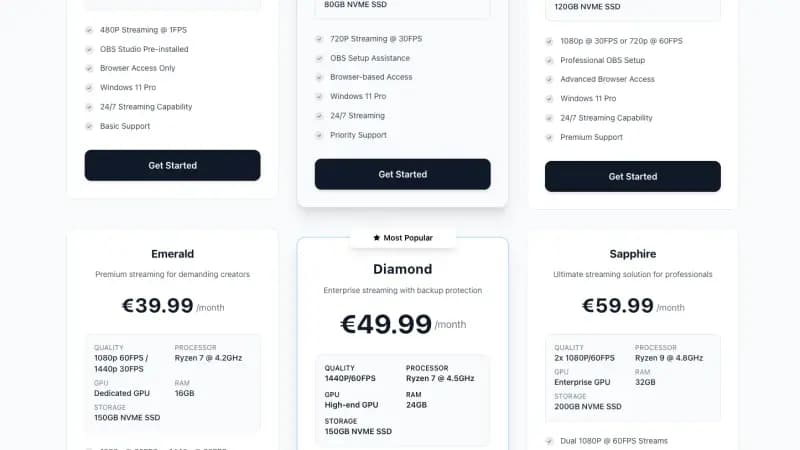
Run on a Streaming VPS for stable upload.
Why Prometheus matters for a 24/7 stream operator
If your stream goes black at 3 AM, the only way to find out within minutes is automated probing + paging. Prometheus + Alertmanager + a probe (blackbox-exporter or a custom exporter) is the standard self-hosted stack.
What you can detect cheaply:
- HLS / DASH manifest goes stale (no new segments for N seconds).
- ffmpeg process died.
- RTMP push to YouTube/Twitch returning errors.
- VPS itself unreachable.
- CPU pegged at 100 % (encoder dropping frames).
- Disk approaching full (long-tail recording / DVR).
Minimal Prometheus + blackbox setup
# prometheus.yml
global:
  scrape_interval: 15s

scrape_configs:
  - job_name: stream-health
    metrics_path: /probe
    params:
      module: [http_2xx]
    static_configs:
      - targets:
          - https://yt.example.com/hls/live.m3u8
          - https://twitch.example.com/hls/live.m3u8
    relabel_configs:
      - source_labels: [__address__]
        target_label:  __param_target
      - source_labels: [__param_target]
        target_label:  instance
      - target_label:  __address__
        replacement:   blackbox:9115

  - job_name: node
    static_configs:
      - targets: ['stream-vps:9100']

alerting:
  alertmanagers:
    - static_configs:
        - targets: ['alertmanager:9093']

rule_files:
  - /etc/prometheus/rules/*.yml
Useful alert rules
# rules/stream.yml
groups:
- name: stream
  rules:
  - alert: HLSManifestDown
    expr: probe_success{job="stream-health"} == 0
    for: 1m
    labels: { severity: critical }
    annotations:
      summary: "HLS manifest {{ $labels.instance }} not returning 200"

  - alert: StreamCPUSaturated
    expr: 100 - (avg by (instance) (rate(node_cpu_seconds_total{mode="idle"}[2m])) * 100) > 95
    for: 5m
    labels: { severity: warning }
    annotations:
      summary: "Encoder CPU >95% for 5 minutes on {{ $labels.instance }}"

  - alert: StreamDiskFilling
    expr: (node_filesystem_free_bytes{mountpoint="/var/recordings"} / node_filesystem_size_bytes{mountpoint="/var/recordings"}) < 0.10
    for: 10m
    labels: { severity: warning }

  - alert: FFmpegProcessMissing
    expr: absent(namedprocess_namegroup_num_procs{groupname="ffmpeg"} > 0)
    for: 2m
    labels: { severity: critical }
    annotations:
      summary: "ffmpeg has no running processes"
The FFmpegProcessMissing alert needs process-exporter (ncabatoff/process-exporter) with a name group called ffmpeg, plus a scrape job for it in prometheus.yml (its README uses port 9256). node_exporter on its own does not export per-process metrics, and because the rule uses absent(), a missing process-exporter makes this alert fire all the time. absent() also returns a series without an instance label, so the alert cannot say which host lost ffmpeg; keep one stream box per rule, or check the host yourself when it fires.
Alertmanager routing to your phone
receivers:
  - name: pager
    discord_configs:
      - webhook_url: https://discord.com/api/webhooks/...
    telegram_configs:
      - bot_token: 123:abc
        chat_id: -1001234567890

route:
  receiver: pager
  group_by: [alertname]
  group_wait: 30s
  repeat_interval: 1h
Don't rely on email alone. A push notification on your phone through Discord or Telegram is much harder to sleep through than an inbox.
What goes wrong without good alerts
- A stream sits black for 8 hours and you find out from a viewer DM.
- A disk fills, ffmpeg starts dropping segments silently, recordings are corrupt.
- A YouTube auth token expires, RTMP refuses, you don't notice until next day.
Prometheus, blackbox_exporter and Alertmanager are light at this scale and fit on a small VPS. Run them on a different machine from the stream itself: if the streaming box goes down, a monitor living on that same box goes down with it and never sends the alert.