
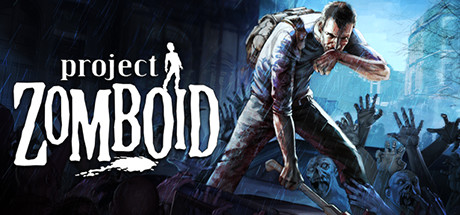
The Indie Stone released Build 42.20 to the stable branch on 29 July 2026, multiplayer included, roughly two years after Build 42 development started. Multiplayer had already shown up in unstable with the 42.13 update in December 2025, so the stable release was the point where it became the version everyone actually plays.
Two things matter before you touch a running server. Build 42 is now the default on Steam, so a server that restarts will pull it whether you planned that or not. And Build 41 savegames are not compatible with Build 42. If you have a community world with real hours in it, read the migration section below before you update anything.
What Build 42 actually adds
- Multiplayer on stable. 42.20 is the first stable build where Build 42 multiplayer is on the public branch rather than behind an unstable opt in.
- Animal husbandry. Cows and chickens can be raised for a real food source instead of relying purely on foraging and hunting.
- Basements. Many buildings now generate a basement below them, procedurally, adding a vertical dimension to looting and base building that did not exist before.
- Deeper crafting. The update pushes crafting further toward genuine self-sufficiency: new craftable and ranged weapons, new crops, and expanded fishing, hunting, and trapping.
- New mechanics. Corpse dragging, an improved sneak system, and collapsible fencing all ship with Build 42.
- A reworked map. Knox County expands westward with new towns including Brandenburg, Ekron, and Irvington. Existing areas got substantial redesigns too, Rosewood's Main Street and Riverside's Maria Plaza both changed significantly. March Ridge and the forests around Rosewood and the McCoy Logging Corp site are worth knowing if you want a lower-zombie-density base, and Louisville's skyscrapers now hold some of the best loot in the game alongside some of the largest zombie crowds.
- Better lighting. A reworked lighting and atmosphere system changes how buildings and basements look and feel at night.
Build 42 is the default now, so your server will move on its own
There is no opt in any more. A fresh install of the dedicated server pulls Build 42, and an existing install pulls it the next time SteamCMD validates the files, which for most panels means the next restart. That is convenient if you wanted to move and a trap if you did not.
The -beta flag has swapped roles. It used to be how you got onto Build 42 early. It is now how you stay on Build 41.
Build 41 saves do not carry over
The developers were direct about this: Build 41 savegames are not compatible with Build 42. It is not a "you might see issues" warning, it is a clean break. The map itself changed, so there is no path that carries a 41 world into 42 intact.
That leaves two honest options: your group starts a new world on Build 42, or you pin the server to Build 41 and keep playing the world you have. There is no third answer, and pretending there is one is how communities lose a save.
Updating a live server, in order
1. Back up before you touch anything. Copy the entire Zomboid/Saves folder somewhere off the server. This is the only step that cannot be undone later, so do it first rather than last.
2. Decide whether you are moving or staying. Ask the group. A fresh world is a much easier sell before you have wiped one than after.
3. If you are staying on 41, switch the server to the legacy41 beta branch now, before the next restart. A restart on the default branch pulls Build 42, and at that point the decision has been made for you.
4. If you are moving, treat it as a fresh start. New world, and check every mod in your list for a Build 42 version first.
How to stay on Build 41
Point the server at the legacy41 beta branch in SteamCMD or in your panel's branch setting, then restart once so it downloads the older files. That pins you to Build 41 and keeps the world working.
Timing is the part people get wrong. Set the branch before your next scheduled restart, not after you notice the server updated itself. Once Build 42 has loaded a Build 41 world, your backup is what saves you.
Mods after a build change
This is where most communities lose a week.
A build change of this size means your mod list is not going to survive intact. Some mods have Build 42 versions already, some are abandoned, and some exist but behave differently than they did on 41. A Workshop page saying it supports Build 42 does not tell you that the specific combination of twenty mods you run works together.
Start the server on vanilla Build 42 and confirm everyone can join. Then add mods back one collection at a time, restarting between them. Adding the whole list before your first successful join makes it very hard to work out which one broke it, and that is exactly where people end up.
What Build 42 needs from your server
Basements mean more building interiors, the map is bigger, and animals are simulated. All of that is real load on top of what Build 41 asked for. If you were already comfortable on Build 41 the same tier will usually still work, but a server that was already tight on RAM is a good candidate for a bump.
The sizing logic itself has not changed shape, and it is worth restating because people size these servers wrong. Memory follows explored map area, not player count. Four players who each explored a different town load four times as much map as four players who stayed together. That is why a server that ran fine for a month suddenly starts struggling with no config change: the group spread out.
| Setup | Realistic RAM |
|---|---|
| Small group, fresh map, vanilla or a light mod list | 4GB |
| Real Workshop mod list, several towns explored | 6GB to 8GB |
| Large group, long running world, heavy modpacks | 12GB and up |
Our Project Zomboid server hosting runs the current stable branch, so a fresh server today is Build 42 by default. If you need the legacy41 branch to finish an old world, ask us before you order.
"File doesn't exist on the client" after updating
If players get kicked at the login screen with "File doesn't exist on the client", the server is loading content they do not have, or your WorkshopItems and Mods lines do not match each other. Both lines have to describe the same content, and every player has to have subscribed to it.
This error spikes right after a build change, because half your players have updated their mods and half have not. On Linux servers there is a second cause worth knowing about, a checksum mismatch, which is covered in the full fix for that error.
Where you host it
Zomboid is not a twitchy game, but it is a long session one. Groups play for hours at a time, and a server on the other side of the world wears on people over an evening in a way it would not in a game you dip into for twenty minutes.
We run Project Zomboid in nine regions: the Netherlands, Germany, Poland, Canada, USA (California), USA (Virginia), Singapore, India and Australia. Pick whichever is closest to most of your group, not to whoever is setting it up.
FAQ
When did Build 42 go stable? 29 July 2026, as version 42.20, with multiplayer on the public stable branch.
Will my Build 41 world work on Build 42? No. The developers stated clearly that Build 41 savegames are not compatible with Build 42. Back up your save, then either start fresh on 42 or stay on 41.
How do I keep my server on Build 41?
Switch it to the legacy41 beta branch. Do it before your next restart, because Build 42 is the default now and a restart will pull it.
Do I still need the -beta flag for Build 42?
No. Build 42 has been the default branch since 42.20 went stable. The beta flag is now what you use to stay on the old build, not to get the new one.
Why do players get "File doesn't exist on the client"?
The server has content they do not, or your WorkshopItems and Mods entries do not match. It spikes right after a build change because players update their mods at different times.
How much RAM does a Build 42 server need? Start at 4GB for a small group on a fresh map. Memory grows with how much of the map has been explored, so established worlds are more comfortable at 8GB or more.
Do my Build 41 mods work on Build 42? Only if the author has updated them. Check each mod page for confirmed Build 42 support, and bring the list back one collection at a time rather than all at once.
If you need the full install walkthrough rather than the update path, the Project Zomboid dedicated server setup guide covers it start to finish.
Starting a new Build 42 server? View Project Zomboid Hosting Plans