Hosting plans love to list core counts. Eight cores, sixteen cores. For a Minecraft server that number says less than you'd think, because the part of the server that decides whether the game feels smooth runs on one thread. How fast that one thread gets through its work is mostly a matter of clock speed and how much the core does per clock.
This post is about that side of the CPU. Cache is the other half of the story, and it has its own post: Ryzen 9 L3 cache and Minecraft servers.
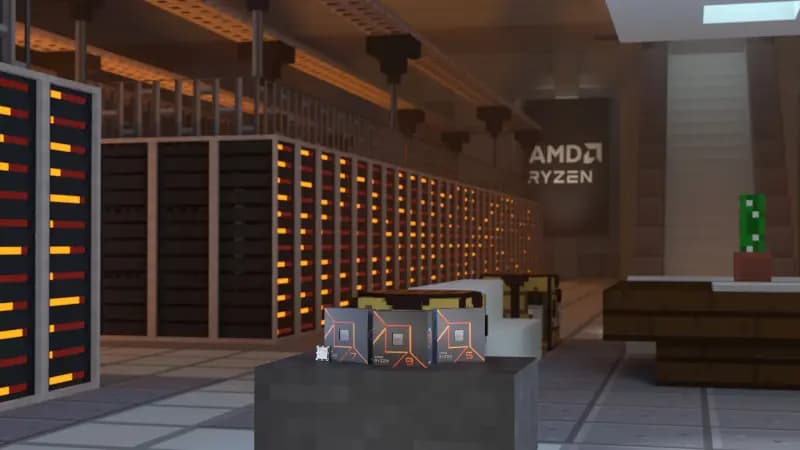
One thread runs the tick
A Java Edition server aims for 20 ticks per second. Each tick has 50 milliseconds to finish, and when ticks take longer the server falls below 20 TPS (spark docs).
On vanilla, Paper and Purpur, the tick itself runs on one main thread: entity AI, redstone, block updates, block entities and plugin tasks, one after another. Paper already moves chunk loading and generation onto separate worker threads, and the garbage collector and network have their own threads too. The tick stays on one.
So sixteen cores do not make one tick finish faster. A faster core does.
Folia is the exception. It splits the world into regions that tick in parallel, which is a different trade with its own limits. See Folia vs Paper.
Clock speed and IPC
Two things set how fast a single core works through the tick. Clock speed is how many cycles per second the core runs, measured in GHz. IPC, instructions per cycle, is how much work the core gets done in each of those cycles, and it tends to improve with every new core design.
A newer core at the same clock gets more done, and a higher clock on the same core does too. That is why comparing GHz across generations only tells half the story.
The five CPUs behind Space-Node's Minecraft plans
| CPU | Core design (codename) | Base clock | Max boost | Launched | Where Space-Node uses it |
|---|---|---|---|---|---|
| Ryzen 9 9950X | Zen 5 (Granite Ridge) | 4.3 GHz | 5.7 GHz | Aug 2024 | Premium tier in the Netherlands, Germany, Poland and Canada |
| Ryzen 9 7950X3D | Zen 4 (Raphael) | 4.2 GHz | 5.7 GHz | Feb 2023 | USA: California and Virginia |
| AMD EPYC 7443 | EPYC 7003 series | 2.85 GHz | 4.0 GHz | Mar 2021 | Standard tier in the Netherlands, Germany and Poland |
| Ryzen 9 5950X | Zen 3 (Vermeer) | 3.4 GHz | 4.9 GHz | Nov 2020 | Singapore and Australia |
| Ryzen 9 3900X | Zen 2 (Matisse) | 3.8 GHz | 4.6 GHz | Jul 2019 | Standard tier in Canada and India (Mumbai) |
Sources: AMD product pages for the 9950X, 7950X3D, 5950X, 3900X and EPYC 7443. Because of hardware shortages, the plan selector notes that the exact CPU on the Ryzen plans can vary between similar Ryzen models, with similar or higher single-thread performance than the one listed.
The 9950X pairs the highest boost clock in this list, shared with the 7950X3D, with the newest core design. Our Premium nodes in Europe and Canada run the 9950X. The 7950X3D also reaches 5.7 GHz on a Zen 4 core and adds a much bigger L3 cache, which the L3 cache post covers.
Max boost is a ceiling, not a promise
AMD defines max boost as "the maximum frequency achievable by a single core on the processor running a bursty single-threaded workload", and adds that it varies with cooling, motherboard, BIOS, drivers and OS updates. Base clock is described as "the average effective base frequency of all cores."
In practice that means the boost number on a spec sheet is the best case for one core. On a game node where many servers share the machine, cores run somewhere between base and max depending on load and temperature. Treat the table as a comparison between chips, not as the clock your server will see every tick.
Which Space-Node plan runs on what
Pick the region first, by where your players live. Latency is added to every action a player takes, and no CPU removes it.
In the Netherlands, Germany and Poland you choose between Standard, on an AMD EPYC 7443 with DDR4, and Premium, on a Ryzen 9 9950X with DDR5. Canada sells Standard on Ryzen 9 3900X-class hardware with DDR4 and Premium on the same Ryzen 9 9950X. The 9950X has a newer core design (Zen 5, against Zen 2 on the 3900X) and a higher boost clock.
California and Virginia run Standard on the Ryzen 9 7950X3D and Premium on the Ryzen 9 9950X, both with DDR5. Australia runs Standard and Premium on the Ryzen 9 5950X, and Singapore has one tier on the same chip. India runs from Mumbai on the Standard tier with Ryzen 9 3900X-class hardware.
A small group on vanilla or a few plugins gives the tick far less to do than a heavy modpack or a large community with big farms. Start on the tier that fits your budget, measure, and move up when the numbers say so. If spark shows your MSPT getting close to 50 at a normal evening's player count, that is the point where a faster core starts to matter. The plans and hardware per region are on the Minecraft hosting page.
Measuring your own server
Don't guess whether the CPU is your limit. spark tells you. Paper has shipped with spark since 1.21 (PaperMC docs), and there are spark builds for Fabric, Forge and NeoForge (spark downloads).
/spark tps shows TPS and MSPT. TPS is capped at 20, so it only moves once ticks are already too slow. MSPT tells you how close you are to that point. Two servers can both sit at 20 TPS while one uses most of its 50 ms and the other uses a fraction of it. Only the first one is short on CPU.
When MSPT runs high, start the profiler while the problem is happening: /spark profiler start --timeout 300. The report shows where tick time goes, whether that is one plugin, one type of entity, or a mod's machines (spark commands). Often the fix is a setting or a plugin, not a faster CPU.
Keep a note of the setup with every measurement: server software and Minecraft version, world size and whether it was pre-generated, players online, the plugin or mod list, view and simulation distance, RAM and JVM flags, and the plan and region. Without that, you can't compare two readings later.
We only publish performance numbers from our own servers when we can share the setup that produced them, so the test can be repeated. For more on reading the numbers, see what MSPT means and our spark profiler guide.
Common Questions
"Does L3 cache help with chunk loading?"
Cache helps any work that keeps touching the same data, and a busy tick does a lot of that. Chunk loading and generation on Paper run on worker threads rather than in the main tick, and generating new terrain is heavy work in itself. Pre-generating the world with a tool like Chunky takes that work out of play time. The L3 cache post covers where a bigger cache does help.
"What about Paper's multithreading improvements?"
Paper moves chunk loading and generation off the main thread, but the world tick still runs on one thread. Folia is the fork that removes the single main thread: it ticks separate regions of the world in parallel, and only runs plugins that are marked as Folia compatible. For most servers Paper is still the better choice.
"Is a 9950X overkill for a small server?"
For a few friends on vanilla, usually yes. Check your MSPT with spark first. If ticks use a small part of the 50 ms budget at your busiest time, a faster CPU won't change how the game feels. When the numbers climb as the world grows, you know it is time to move up.